


I’ve evaluated the most popular instant messaging platforms and shortlisted the best ones that can help you build your own custom chat apps. This article has been expert-reviewed by Mr. Alexander, who has over 16+ years of experience in the AI CPaaS industry.
What Is An Instant Messaging Platform?
An Instant messaging platform for business is an exchange of real-time messages and multimedia files within embedded chat apps. The messaging platform supports one-on-one chat and group chat supports workplace internal communication.
Popular Instant Messaging Platforms Shortlist
Here’s my pick of the 5 best instant messaging platforms from the 23+ tools reviewed
- MirrorFly – Best for custom chat app development
- Apphitect – Best for white-labeled messaging apps
- Rocket.Chat – Best for collaborative features
- Twilio – Best for built-in encryptions
- Pumble – Best for ease of use
Instant messaging platforms help your teams build your own chat apps for internal communication and customer interactions. They make it easier to connect your employees, customers and stakeholders, while keeping your organizational data secure.
After testing 23+ instant messaging platforms across enterprises, and SMEs, here are my top 10 picks that are feature-rich, secure and drive real-time conversations at any scale.
Why Trust Our Reviews?
We’ve been testing and reviewing real-time communication solutions since 2008. As a CPaaS solution provider ourselves, we understand the importance of selecting the right instant messaging platform for business operations.
We commit to intense research to help developers and business owners build high-quality communication platforms. We’ve tested over 3700 software for different instant messaging use cases and written over 500+ software reviews.
Instant Messaging Platforms: What To Look For
The best instant messaging platforms just don’t help you build chat apps.
They bring together several benefits into one system so you can accomplish more without spending too much time in writing codes line by line.
With the right technology, you’ll feel like you’ve built a fully feature-rich messaging app on your own within a few minutes.
In this review, we’ve made sure that the IM tools we recommend does the following:
- Customization capabilities: The ability to customize your chat app to your specific business requirements.
- AI & Automation: Inclusion of AI-features like chatbots, voice agents and task agents to automate operations.
- Data Control: The extent to which the platform offers control to you over your chat app data.
- Custom security: Options to tailor the security encryptions and privacy features.
- Dedicated dev team: Lets you hire a full team of developers to build your messaging app.
Best Instant Messaging Platforms for Business In 2026
Here are the top instant messaging platforms for businesses: MirrorFly, Apphitect, Rocket.Chat, Twilio, and Pumble.
1. MirrorFly – Best AI-powered Instant Messaging Platform
✅ Free demo available
✅ Custom license cost + SaaS plans (Monthly/ Annual)
MirrorFly integrates instant messaging into apps in less than 48 hrs. You can customize the SDK, add your brand elements to it, build your chat app, and then deploy it on your own servers. It makes chat app development simpler than you think.
Here’s an example. We added MirrorFly to a basic doctor consultation app. It added AI chatbots, voice assistants, real-time messaging, video & voice calling along with 1000 other messaging app features.
After customizing it, we ran it on our AWS servers, and it worked perfectly well.
The entire process was quick and easy, not much coding was required. You decide what features your internal communication platform needs, how the app should look, where it should run, and who controls the data and security.
Even better, it can run on any tech stack. So, you need not worry if you’ve built your app already. All you need to do is, select the technology in your dashboard, and download that specific SDK for your app. Plus, you can get started with any third-party service you already work with, customize your workflows and get help if you need help with the integration.
Why did I pick MirrorFly?
I picked MirrorFly for its 100% customization flexibility, which not many other providers in the market offer. You can typically tailor any part of the solution including features, security and infrastructure. Above this, you get to add AI-powered features to your instant messaging apps and that’s something modern app users would never compromise on.
Standout features of MirrorFly
- Real-time Chat: add custom instant messaging features for both private and public chat.
- HQ Video & Voice: easily add video and audio calling features, with adaptive bitrate streaming.
- Upload Large Files: there’s no limit to how many files users share, what format it is, or how huge the size is.
- AI Chatbot: simply add a friendly chatbot to interact with your customers.
- AI Voice Agent: give your agents a break from repetitive operations by adding voice agents that get all the basics done.
- Push Notifications: display personalized notifications on your customer’s mobile phone or web, even when your app is inactive.
- AI Moderation: keep your chat apps sane and safe by moderation messages using AI agents.
Pros and Cons
Pros
- Completely customizable, AI-powered instant messaging solution.
- Wide range of in-app messaging features.
- Full data control and access to source code.
Cons
- The conversation coach feature is in beta.
2. Apphitect – Best White-Label Instant Messaging Platform
✅ Self-hosting possible
✅ Custom pricing available
Apphitect is a self-hosted instant messaging solution for building custom chat apps. You start by adding their pre-built messaging SDK to your app. And customize it to your specific needs, and deploy it on any on-premise or cloud server.
I tested it for building an office communication app and had it running on Cassandra. Then migrated it to Apphitect’s cloud. It just worked perfectly on both the servers.
The SDK comes with an extensive list of features along with 500+ AI features. You can add your own logo, colors and brand elements, and there’s no need to mention Apphitect anywhere on your app, even though you build using it.
Apphitect offers production-ready agents built for specific industries. You can create lead qualification agents, sales agents, appointment booking agents or any sort of AI concierge as per your specific requirements.
You’ll have a workflow builder that you can customize to build any kind of personalized virtual assistant and add it to your instant messaging app.
Why did I pick Apphitect?
I work around different servers. And I feel Apphitect gives me the flexibility to choose any server for each project. There are no limitations on where I choose to deploy my chat apps. Plus, Apphitect gives me all the control over my app data and does not peek into it. It also allows adding custom security encryptions and region-specific compliances that I exactly want for each product development.
Standout features of Apphitect
- Custom Chat & Calls: add real-time instant messaging, voice calling and video calling capabilities to your app.
- AI Customer Service Agent: create AI-powered agents that can handle your customer queries.
- AI Video KYC: use Apphitect’s AI solution to build video KYC agents for customer verification.
- Live Streaming: build live streaming into your instant messaging platform and drive more visitors.
- Activity Feeds: easily bring in real-time activity feeds on the user’s dashboard to keep them updated and engaged.
- AI Agent Builder: use our workflow builder to create your own agents for custom processes.
Pros and Cons
Pros
- You get to deploy anywhere – on your own servers or on Apphitect’s cloud.
- Options to customize the security features
- Service to hire Apphitect’s team of developers
Cons
- Batch calling is in beta.
3. Rocket.Chat – Best Omnichannel Instant Messaging Platform
✅ Available custom pricing
✅ Demo is available
If you need a sense of full control when you develop your instant messaging app, Rocket.chat can give you that. This open-source platform has been a very useful tool for 3 of my projects with complex workflows. I found it especially suitable for businesses that need communication happening in multiple channels. This way, you need not use multiple tools to set up your office chat apps.
Why did I pick Rocket.Chat?
I chose Rocket.Chat because it gives you full control of your infrastructure. Unlike many SaaS-only tools, you can self-host Rocket.Chat, which is a big advantage for organizations that need to keep their security intact.
Standout features of Rocket.Chat
- Public and private channels: the conversations on your app stays organized.
- Omnichannel messaging: users can send out messages via live chat, email or social channels.
Pros and Cons
Pros
- Rocket.chat is an open-source instant messaging platform
- You can self-host the chat app on-premise or on-cloud
Cons
- For non-technical teams, the set may feel a bit complex
- When compared to popular chat apps, the UI may not be very polished.
4. Twilio – Best Secure Instant Messaging Platform
✅ Available for monthly pricing
✅ Demo is available
I used Twilio for building custom messaging and calling features into a Flutter app. I accomplished it within a matter of minutes. It helped our team build not just traditional chat features, but extend to AI chatbots and voice agents.
Why did I pick Twilio?
I really liked using Twilio for the extent of customization it offers when building instant messaging platforms and apps. On top of that, I was also able to add AI voice and messaging that works exceptionally well so far.
Standout features of Twilio
- Programmable messaging API: add automated SMS, WhatsApp, and in-app chat features.
- Voice calling: use Twilio calls API to add audio calling features into any app or web.
- AI chatbot: give customers instant answers using Twilio’s chatbot feature.
Pros and Cons
Pros
- Comes with powerful messaging APIs
- The support for AI voice and messaging is truly exceptional
- Scale the platform as per your needs.
Cons
- Pricing can increase as your business scales up
- You’ll need a lot of development efforts to build the chat UI.
5. Pumble – Best Developer-friendly Instant Messaging Platform
If you love to use Slack and want a good alternative to it, Pumble is a straight-forward option. It is one of the most popular instant messaging apps that works particularly well as an office chat software, with a simple and structured workflow.
Why did I pick Pumble?
Pumble simply does not overwhelm users. You’ll have the exact features you need, not more, not less, without unnecessary complexity.
Standout features of Pumble
- Threaded conversations: maintain a flow of conversations around specific contexts.
- File and document sharing: users can exchange images, videos, GIFs, or docs.
Pros and Cons
Pros
- Pumble’s UI is usually clean and user-friendly
- The pricing is affordable
- Onboarding team members is easy
Cons
- Advanced customization options are limited
- Supports limited integrations
Popular Consumer Apps for Business 2026
Here is the list of Popular Consumer Apps are Signal, Google Chat, MS Teams, Slack, Glip, Flock, WhatsApp, WeChat, Telegram, and Facebook Manager.
1. Signal
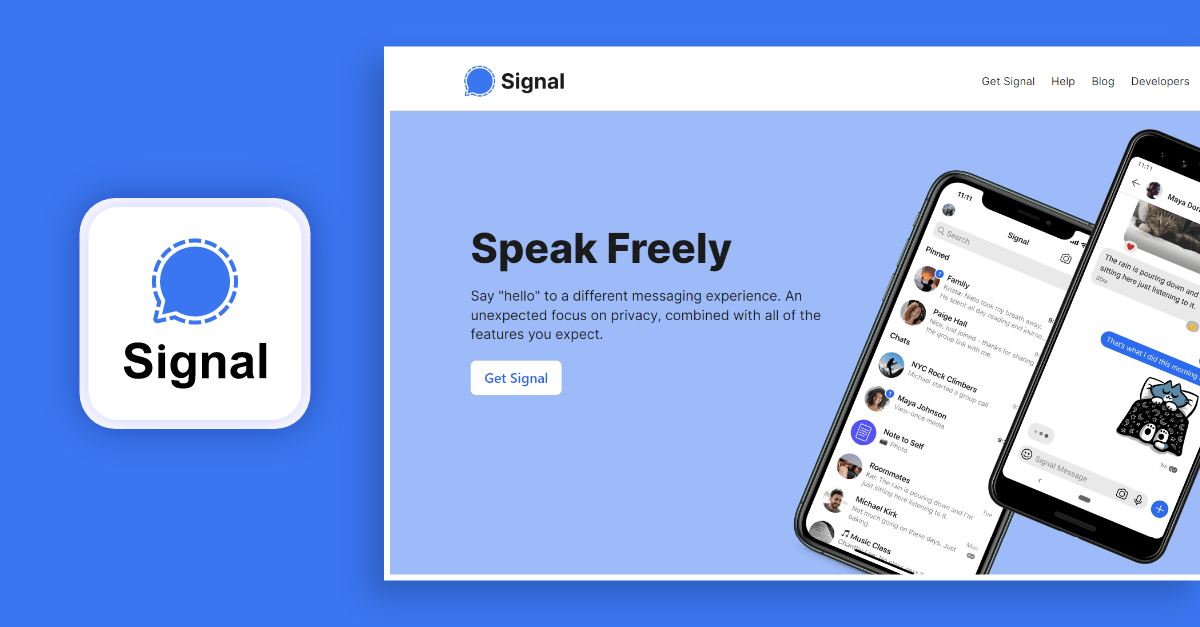
Signal is a popular choice for millions of users worldwide, due to its quick, secure, and free communication services.
Whether it is sending and receiving high-fidelity business instant messages or engaging users on HD video calls, Signal proves to be the best chat platform with its ease of use.
Along with this, Signal also supports advanced privacy features and collaboration capabilities.
Reasons Why Signal Is A Good Choice For Instant Messaging:
- Strong focus on privacy and end-to-end encryption for secure communication.
- Open-source and transparent, allowing for independent audits and scrutiny.
- Simple and user-friendly interface, suitable for both personal and professional use.
Features:
- Private/group voice & video calls
- Instant messaging
- Group chat
- In-app payments
- Push notifications
Popular Usage Locations: Signal is pretty popular all around the world, but it’s got a huge user base in the US, Europe, and Asia, especially.
Where Is Signal Used?
Signal provides secure communication solutions to various industries, including healthcare, finance, government, and education.
2. Google Chat
Google Chat is one of the best team messaging and instant collaboration platforms that supports real-time communication between one-on-one and group chats.
Starting from text chat messaging, using Google Chat is easy with existing Google accounts or with an organization account to combine all your internal team in a single dashboard.
Also, Google Chat supports chat moderation, reactions and personalized communication for specific projects and tasks.
Reasons Why Google Chat Is A Good Choice For Instant Messaging:
- Highly customizable and scalable platform suitable for large organizations and teams.
- Offers on-premises hosting options for companies with strict data privacy requirements.
- Integrates with various tools and services.
Features:
- Instant messaging
- Audio and video calls
- File sharing
- Video conferencing
End-to-end encryptions
Popular Usage Locations: Google Chat has users worldwide, with a strong presence in South America, Europe, and Asia.
Where Is Google Chat Used?
Google Chat provides enterprise instant messaging solutions to industries like education, healthcare, government, and finance.
3. MS Teams
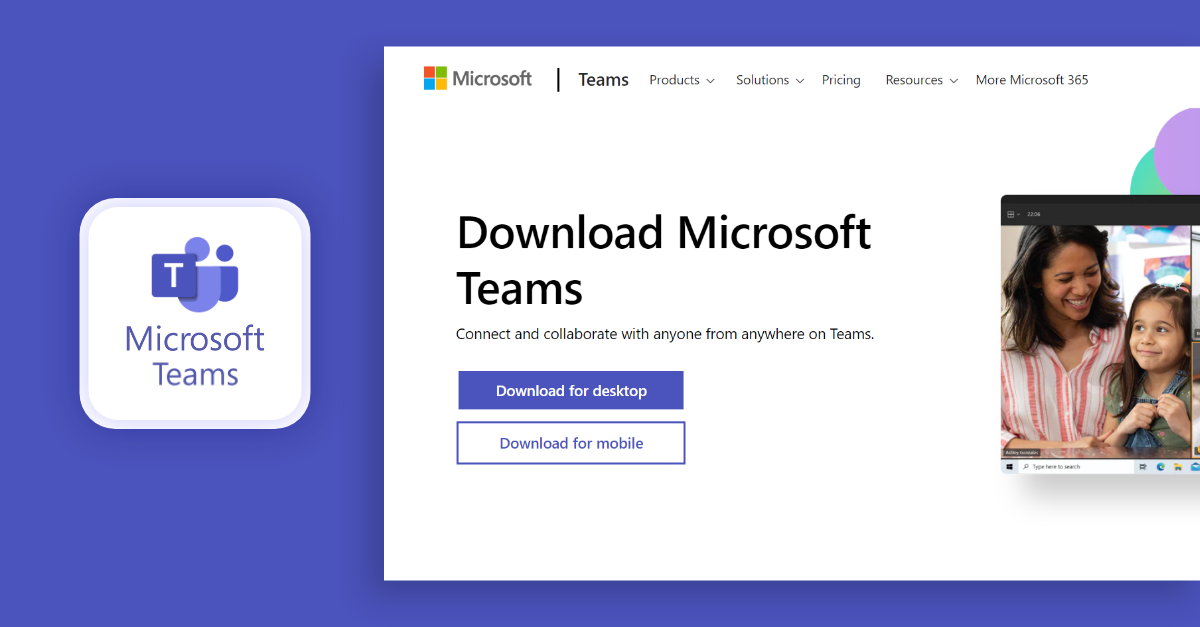
Microsoft Teams is a popular team chat app that is widely used around the world. It’s very useful for Microsoft users because they get Teams for free and is a great option for secure communication at workplace.
However, when compared to other chat apps, Teams has limited communication and collaboration tools. This restriction annoys some users, so they look for alternatives to Microsoft Teams that offer more features and urge businesses to build their own apps for team communication.
Reasons Why MS Teams Is A Good Choice For Instant Messaging:
- Seamless integration with the Microsoft Office 365 suite and other Microsoft products.
- Robust video conferencing and screen-sharing capabilities for remote collaboration.
- Centralized workspace for teams to chat, share files, and manage projects.
Features:
- Screen sharing
- Instant messaging
- Team meetings
- Voice & video calls
- Push notifications
Popular Usage Locations: MS Teams has users worldwide, with a strong presence in North America, Europe, and Asia.
Where Is MS Teams Used?
MS Teams provides collaboration solutions to various industries, including healthcare, education, finance, and government.
4. Slack
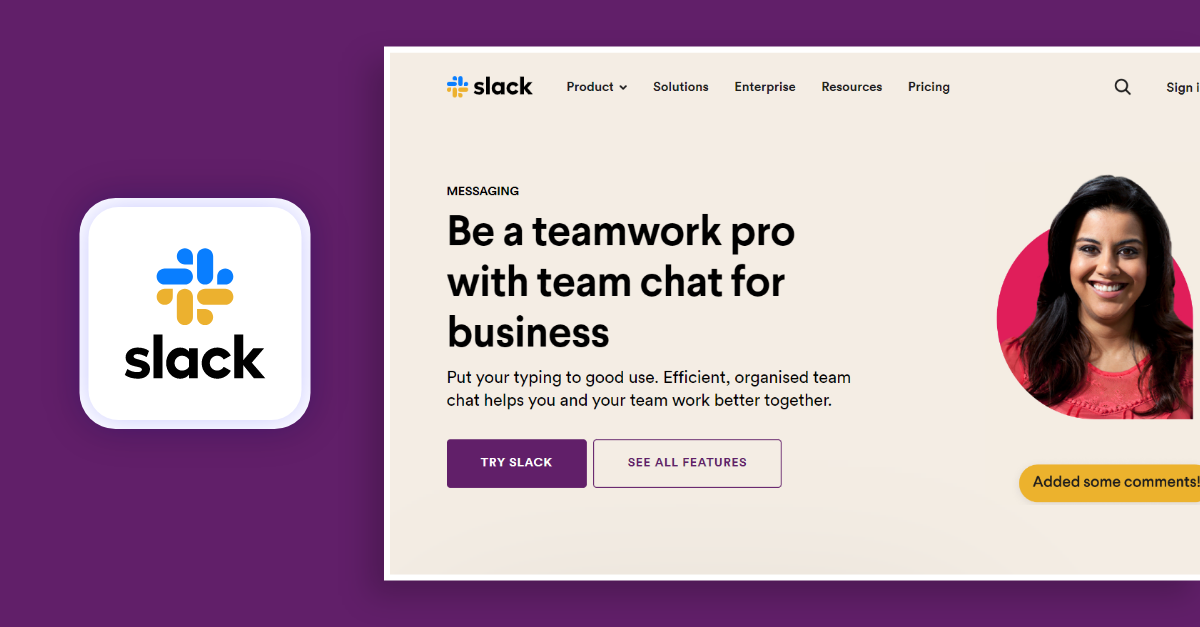
Come on, who does not know Slack? Slack is one of the most well-known and popular instant messaging apps. The reason is that it offers great features like dedicated channels and groups for project discussions within a company.
It also has good collaboration tools that make it easy to work together, and a flexible, user-friendly interface.
But the thing is, people are often worried that Slack might not be secure enough when it comes to protecting data.
That’s been a big issue that’s allowed some of Slack’s competitors to get more popular by offering messaging apps that seem safer and more secure.
However, we often notice data security concerns concerning Slack and this main cause has led its peers and competitors to take hold of the market share.
Reasons Why Slack Is A Good Choice For Instant Messaging:
- Extensive integrations and bots for automating workflows.
- Supports channels for organizing conversations based on topics or teams.
- Offers robust search functionality, making it easy to find historical conversations.
Features
- Instant messaging
- Third-party integrations
- Team collaboration tools
- In-app notifications
- Privacy regulations compatible with HIPAA and GDPR
Popular Usage Locations: Slack has users worldwide, with a strong presence in North America, Europe, and Asia.
Where Is Slack Used?
Slack provides communication and collaboration solutions to various industries, including technology, media, finance, and e-commerce.
5. Glip
Next up is Glip, a messaging app made by RingCentral. Glip is really popular for its awesome chat, group calling, scheduling tools, and screen-sharing features that just look so slick. A lot of businesses say using Glip actually boosts their employees’ productivity, but understanding exactly how takes a bit of digging.
On top of that, Glip lets you integrate it with all sorts of other third-party apps and platforms you might already be using. So if you’re coming from a different messaging tool, you can switch over to Glip pretty seamlessly through those integrations.
Reasons Why Glip (Ring Central) Is A Good Choice For Instant Messaging:
- Combines instant messaging with task management and project collaboration tools.
- Makes document, image, and file sharing easy.
- Provides calendar integration and video conferencing capabilities.
Features:
- Instant messaging service
- Multi-platform support
- Team collaboration tools
- End-to-end encrypted
Popular Usage Locations: Glip has users worldwide, with a strong presence in North America, Europe, and Asia.
Where Is Glip Used?
Glip provides communication and collaboration solutions to various industries, including healthcare, finance, and technology.
6. Flock ( Secure Instant Messaging Platform)
Flock is an instant messaging platform that brings all your users together in one place using its communication and collaboration tools. Its key features help users stay focused on tasks, and support remote teams.
Similar to Glip, Flock also allows third-party app integrations that we use every day. This means users can connect Flock to other apps and tools they already use and like.
Just like Glip, Flock supports third-party integrations aiding users to connect to their desired apps.
Reasons Why Flock Is A Good Choice For Instant Messaging:
- User-friendliness with a focus on team collaboration.
- Offers secure communication with end-to-end encryption for sensitive conversations
- Lets you integrate third-party productivity tools and cloud storage services.
Features:
- Instant messaging service
- Multi-platform support
- Team collaboration tools
- End-to-end encrypted
Popular Usage Locations: Flock has users worldwide, with a strong presence in India, the United States, and Europe.
Where Is Flock Used?
Flock provides communication and collaboration solutions to various industries, including healthcare, finance, and technology.
Most Promising Instant Messaging Platforms Loved By Customers
Did you know that many businesses are drawn toward instant messaging software from customer-oriented apps? And, the ones we have listed below are all the leading platforms with multiple accounts in each category.
7. WhatsApp
WhatsApp is the world’s most popular social messaging app, with over 2 billion users worldwide. It is the best instant messaging platform that can be used in day-to-day life.
WhatsApp is widely preferred by users for its ease of use and interactive features. People can chat with each other from anywhere in the world and also make face-to-face video calls, in just few clicks.
Above all, Meta, the parent company of WhatsApp, claims that every conversation on the app is secure since the chats are end-to-end encrypted.
From popularizing unique encryption standards to adding extra features to making it a user-friendly tool, WhatsApp developers found it mountain-challenging to create the best-known personal and professional messaging platforms. For businesses, WhatsApp has introduced WhatsApp business with multiple accounts capability, allowing teams to manage communications more effectively across different user accounts.
Reasons Why WhatsApp Is A Good Choice For Instant Messaging:
- Simple and user-friendly interface for personal and group communication.
- Offers end-to-end encryption for secure messaging.
- Supports crystal-clear voice calling features and HD video calls, as well as sharing of multimedia content.
Features:
- Instant messaging service
- Broadcast messaging
- Whatsapp status
- Business catalog
- Audio & video calls
Popular Usage Locations: WhatsApp has users worldwide, with a strong presence in Europe, Asia, and Latin America.
Where Is WhatsApp Used? :
WhatsApp provides communication solutions to various industries, including finance, e-commerce, gaming, transportation, logistics, and healthcare.
8. WeChat
WeChat is a popular chat platform in China and this app is named as China’s Super App.
You know why?
Apart from the collaboration and communication features, WeChat also offers video game facilities to users.
Reasons Why WeChat Is A Good Choice For Instant Messaging:
- WeChat, as a Super App is considered as the primary option to make secure transactions across China.
- Popular messaging app with a large user base in China.
- Provides many features, such as mini-programs and mobile payments, in addition to messaging.
- Supports video calls, voice messages, and sharing of multimedia content.
Features:
- Instant messaging service
- Push notifications
- Private or group voice & video calls
- File sharing
- AES-128 security standards
Popular Usage Locations: WeChat has users primarily in China and Southeast Asia.
Where Is WeChat Used? :
WeChat provides communication and e-commerce solutions to various industries, including finance, education, and healthcare.
9. Telegram
Considered as a user-friendly real-time messaging platform, Telegram is a solution that offers seamless communication and security features to users with its modern chat app design.
People all over the world are using this chat platform a lot. You can have one-on-one chats, group calls with many people, and even share your screen. It has become a really useful tool for different kinds of communication.This app is considered the best and most secure messaging software. It’s very popular and widely used in countries all over the world.
Plus, standing top on our list as the best and most secure software, this particular app is said to be prevalent in any country and region.
Reasons Why Telegram Is A Good Choice For Instant Messaging:
- Allows media sharing in compressed formats ensuring that the quality of images, videos and files exchanged is intact.
- Offers secure and encrypted communication with a strong emphasis on privacy.
- Supports large group chats and channels for broadcasting messages.
- Provides a wide range of features, including file sharing, stickers, and bots.
Features:
- Private and group Instant messaging
- Push notifications
- Auto-translation services
- File sharing
- Voice & video calls
Popular Usage Locations: Telegram has users worldwide, with a strong presence in Europe, Asia, and the Middle East.
Where Is Telegram Used? :
Telegram provides communication solutions to various industries, including media, finance, and e-commerce.
10. Facebook Messenger
Facebook Messenger is a very popular app. It lets you instantly message people, create groups for work or personal reasons, and make calls.
Facebook created Messenger, so it’s like the parent product. Messenger has over a billion users worldwide who use the Facebook app and service.
Reasons Why FB Messenger Is A Good Choice For Instant Messaging:
- Extensive user base, making it convenient for connecting with friends and family.
- Offers features like video calls, group chat creation, stickers, and games for casual communication.
- Integrates with Facebook’s social network, allowing for easy sharing of content.
Features:
- Buyer seller chat
- Instant messaging
- Feeds and stories promotions
- In-app payments
- Live Video calls for face to face conversations
Popular Usage Locations: Facebook Messenger has users worldwide, with a strong presence in North America, Europe, and Asia.
Where Is Facebook Messenger Used?
Facebook Messenger provides communication and customer service solutions to various industries, including e-commerce/ marketplaces, finance, and healthcare.
📚 Want more? Here’s our detailed list of best internal communication software for businesses.
How Safe & Secure Is Instant Messaging?
Instant messaging can have security risks, and it’s important to be cautious:
- Privacy: Instant messaging conversations may not always be private or secure. Many IM programs lack encryption, so someone with access to the network could potentially eavesdrop on user conversations.
- Sensitive Data: You probably don’t want to send any really private or confidential stuff over regular messaging apps. Especially if you’re using a computer that has sensitive data on it. It’s better to be safe than sorry – avoid installing messaging apps on devices like that if you can.
- File Sharing: When sharing files through messaging apps, be careful – that can sometimes open you up to viruses and other security risks.
Make sure you scan any files for malware before sending or opening them, just to be on the safe side.
If you want to keep your messaging super secure, look for apps that use end-to-end encryption. That way, only you and the person you’re chatting with can read the messages.
Also, be careful about what kind of sensitive information you share over messaging, and make sure you’re using a device you trust.
📌 Looking for the secure messaging app? Check out the best secure and privacy messaging apps for enterprises.
What Are the Benefits of Instant Messaging Platforms?
The prime benefit of any instant messaging app is its ability to help people communicate with each other in real-time.
Additionally, IM tools ease the process of file sharing, mentions, status sharing, status settings, and other capabilities.
These features that are described above can be used for both business and casual purposes. However, to dig deeper into why the IM platform is beneficial for business communication, here’s a breakdown:
✔ Boosting Team Collaboration
As per a recent percentile, it is proven that over 86% of employees and executives lack collaboration capacity, thus leading to workplace failures.
Thus, many organizations must realize that collaboration is the prime aspect of any team’s success, be it productivity or meeting deadlines.
✔ Fostering Productivity
If your employees are given an instant messaging tool or platform to help communicate and collaborate on the topics they face difficulty with, then ultimately their productivity rises by shortening the period in each project.
A report shows that over 25% of organizations succeed in productivity rates whose employees are well connected.
✔ Improving Employee Engagement
If employees can connect with each other well in discussing their work parameters and strategies, then it results in improved employee engagement.
Further, the availability of bots on instant messaging platforms can help employees pose and get answers to different questions, making them engaged with the platform.
✔ Eases Remote Working
Asynchronous real-time communication helps coworkers connect and collaborate with ease via instant messaging apps.
These apps can render flexibility in team communication even when they reside in different time zones and locations.
✔ Strengthens Company Grounds
Employees who love the quality of their work seem to be a lot more attached. Plus, you can even bring it to your business by adding instant messaging platforms and creating channels for employees to connect on both business and professional grounds.
This small step can help your employee’s retention levels in the organization.
✔ Highly-liked by Gen Z Groups
Gone are the days when managers used to call employees to discuss project matters because, with the multiple features and benefits that the instant messaging platform offers, many new millennials and gen Z groups are more attracted to tools that boost collaboration and communication in good ways.
A recent survey shows that over 75% of employees love to exchange instant messages rather than get engaged in calls.
Drawbacks Of Third-party Instant Messaging Platforms For Businesses
Although instant messaging for business has been very useful for personal conversations, there are some key downsides to relying too heavily on chat apps at work.
- Sending sensitive data over untrusted mobile messaging apps can lead to data leaks and breaches of confidentiality.
- Lack of proper security evaluations and compliance checks before deploying office messaging tools exposes companies to data security and regulatory risks.
- Where messaging data is stored (server location) is crucial – organizations must ensure servers meet data confidentiality standards.
- Password authentication alone is vulnerable – combining user and device authentication provides better access security.
- Mixing business and casual chats on messaging apps can violate record-keeping rules and blur lines between work and personal communications.
Now, what should you do if you need instant messaging for your business?
There are 2 solutions to this:
- You can build your own app from scratch
- You can use a custom solution that offers pre-built tools to build your messaging app with the functionalities and capabilities you need.
We know, the latter sounds interesting. And now you may wonder how to build your app with a pre-built solution. This is where real-time communication SDKs come into play.
If you’d like to build a chat app all by yourself, you can simply get a chat solution, customize the features, and deploy it on your own servers.
Doesn’t that sound like a perfect deal?
Here are more details.
Why MirrorFly Is The Best Instant Messaging Platform?
In this article, we reviewed some really helpful instant messaging software for Android, iOS and web apps.
However, we feel MirrorFly is the best instant messaging platform in the list because it offers everything a business needs to build powerful AI messaging apps, with custom features and complete security.
Learn more about how MirrorFly can help your team below.
It’s a completely customizable instant messaging solution
MirrorFly isn’t just a chat API; it’s a powerful CPaaS solution for teams. It comes with features like AI voice agents, AI chatbots, AI video agents and helps build a completely customizable AI concierge. This adds more value to your chat app and drives over billions of conversations.
But what sets MirrorFly apart from other instant messaging platforms is its extent of customization for features, security and infrastructure.
MirrorFly takes into account every specific requirement of your business and customizes every part of the solution to help you build the exact messaging app you need.
It comes with AI-powered features
MirrorFly not just adds in-app messaging, it automates conversations. As a part of its offerings, it provides a completely customizable AI agent solution that lets you build any kind of AI chat agent.
You can build a simple AI chatbot or a complex AI virtual assistant, that perfectly understands, acts and responds to user queries.
This helps you automate multiple workflows in your daily operations and help your teams focus on the core business rather than being stuck troubleshooting and compiling error codes in in-app chat feature codes.
It offers full data control
Before MirrorFly, I used to work with a few platforms that evidently used my business information to personalize the development experience. This raised concerns over the security and privacy of the data that my app would provide to create their accounts. I immediately had to switch the provider.
MirrorFly is PERFECT for every business that needs full ownership of their data.
I feel relaxed that every data across my business is safe and MirrorFly does not have any access to it. It just keeps things simple when building my chat app.
Get Started With MirrorFly Today
Working with MirrorFly is like you have a shortcut to developing your instant messaging platforms without compromising on the quality or experience.
Trust me, once you see how MirrorFly can help build your communication platforms, you’ll wonder why you’ve missed it all the while.
So why not give MirrorFly a try?
Begin with a free demo, you need not spend a dime, but get to see how MirrorFly can transform your business.
You deserve a solution that takes care of building your chat app system perfectly.
And MirrorFly is the one!
Get Started with MirrorFly’s Instant Chat Features Today!
Drive 1+ billions of conversations on your apps with highly secure 250+ real-time Communication Features.
Contact Sales 200+ Happy Clients
-
Topic-based Chat
-
Multi-tenancy Support
 200+ Happy Clients
Frequently Asked Questions (FAQ)
Instant messaging platforms are used to facilitate real-time communications among users over the internet. Enterprises, professionals, and consumers see Instant messaging as a faster and more reliable way of communicating than email. Users can facilitate instant messaging from any device with the right platform.
Yes,Here are 5 popular instant messaging apps: 1. WhatsApp 2. Telegram 3. Signal 4. Messenger 5. WeChat
WhatsApp is the most popular instant messaging service globally, with more than 2 billion active users. It provided instant messaging services with enriched features and facilitated real-time communication with voice and video features. WeChat has grabbed second place with 1.2 billion active users, and Facebook Messenger has grabbed third place with 990 million active users.
There are two types of instant messaging software. Application-based software Web-based software. Application-based software requires you to download and install software on your device, Such as WhatsApp, Viber, Line, etc. Web-based Software requires you to sign in directly to the web, such as Google Chat, Slack, Microsoft Teams, etc.
Instant messaging is end-to-end encrypted. But it is recommended not to use your system, mobile, or email ID password to log in, considering your own safety. And never share any sensitive credentials, such as credit card details, OTPs, or bank-related sensible content. As instant messaging is end-to-end encrypted, you will never know to whom it is being forwarded.
Yes, Instant messaging is private. Every message you send or receive is end-to-end encrypted, which simply means that only the sender and receiver can see the messages. Hence, instant messaging is completely private.
Instant messaging has reached enormous heights over the years, with yet more to come in the future. The future of instant messaging facilitates voice and video calls, high-quality pictures, and artificial intelligence features like image editing, automated replies, face swapping, etc.
Related Articles:
- What is Chat Moderation? Everything Know About Here
- How to Build an App like Snapchat? A Complete Guide 2026
- Top 9 In App Messaging Best Practices & Strategies in 2026
- 15+ Best White Label AI Chatbot Solutions [2026 Reviews]
 Atchaya Jayabal is a passionate content writer specializing in SaaS, B2B and Technical Writing. She is best known for her adept expertise in curating tech content that resonates with readers.
You explained that all of these instant messaging platforms have monetization options? I want to create an account on Signal, and I need some clarification on that.
It’s helpful to see a mix of secure and popular messaging platforms for businesses. I especially love the mention of MirrorFly—it’s awesome that businesses can customize their own chat solution with top security features.
hi,
Nice article, How can I choose the instant messaging apps for my personal use, can you recommend anything?
Hi Shelpa,
Evaluate instant messaging apps based on factors like security, user interface, and features. Consider the preferences of your contacts and the app’s popularity. Popular choices include WhatsApp for widespread use, Signal for privacy, and Telegram for features and mirrorfly for custmoizable solution, roackt.chat for real-time fetures. Try a couple to find the best fit for your personal communication needs.
hello,
if it possible! Can you recommend an instant messaging solution with excellent team collaboration features? So that I can choose the perfect one.
Hi Rein,
Certainly! Microsoft Teams is a robust instant messaging with excellent team collaboration features. It integrates seamlessly with Microsoft 365, offering chat, file sharing, video conferencing, and collaboration on documents. Slack is another popular choice known for its intuitive interface, extensive integrations, and efficient team communication tools, making it a strong recommendation for team collaboration.
Hi,
I just acrossed your blog, it was quite nice. can you clear me that which instant messaging platform is best for large group chats and communities?
Hello Niranjana,
For large group chats and communities, MirrorFly stands out as an excellent choice. It offers powerful moderation tools, customizable, secure and features channels for broadcasting to unlimited audiences. Its scalability, along with diverse features, makes MirrorFly a top recommendation for managing extensive group communication and communities.
Your article gave me a lot of inspiration, I hope you can explain your point of view in more detail, because I have some doubts, thank you.
Sure Gevin, will be done it
Awesome Article…Thanks for sharing. It is a very helpful content for selecting best instant messaging service. Your blog is very useful. keep posting!!
Thank your for taking the time to write the top dating app. This articles help me out to choose the best instant messaging providers.
This is an amazing comparison article about instant messaging providers. Thanks for sharing!
Thanks. I found a some good ideas in your article and choosing the best instant messaging solution.