


In today’s digital era, real-time communication is the heart of every successful interaction happening around the globe. Be it live video calls explaining product launches or a group gala talk, the presence of WebRTC technology has made communication & collaboration seamlessly possible.
As a result of which, the technology has powered developers to build a highly powerful video chat app or simply integrate video calling capabilities using WebRTC video calling APIs.
So what is it, and how useful is WebRTC video call software in the communication sector, we will see below.
What is WebRTC?
WebRTC, or Web Real-Time Communication is a technology that facilitates real-time video and audio communication within the browsers, without the need for any plugins or software.
Plus, with the presence of WebRTC APIs, developers can seamlessly add group video calls, or create peer-2-peer (P2P) communication between devices.
Now let us see a recent report that proves how beneficial this technology has been, WebRTC video call service is expected to reach USD 110.2 billion by 2032 from USD 6.2 billion in 2022.
Next up is,
WebRTC API: When It Started and How Does It Work Now?
Earlier in 2010, real-time communication systems were only available by additional software, plugins or by using Adobe flash. Later in 2013, a cross-browser video call was introduced where you can connect between Google Chrome and Firefox.
In 2014, a new trend developed as the first cross-border data transfer led to real-time communication through the client-side.
After all these developments, it is now known as the WebRTC peer-to-peer that we use in our everyday routine in all the available browsers such as Chrome, Firefox, Safari, iOS, Android, etc.
WebRTC video API is an HTML5 JavaScript specification that originates with a bunch of web APIs and communication protocols to launch an uninterrupted video/audio enabled communication between browsers. WebRTC Video calling APIs are more popular as the APIs are plugin free, involving no tiresome downloads and installations.

- Complete Source Code
- Lifetime Data Ownership
- Deploy on Own Server
Businesses use the WebRTC-enabled chat application for instant messaging, video conferencing, click-to-calls and peer-to-peer streaming. Plus, when you build a WebRTC video conferencing or video calling app, it offers a unique set of features and innovations, making it widely embraced within the developer community.
Include origination here.
Architecture and Functionality of WebRTC Video Chat App
Building a WebRTC group video call app or voice chat service enables users with mutual communication through browsers to capture, transmit and encode
between two parties that consists of 3 HTML5 APIs.
- Well, this is the beauty of WebRTC service. Along with this, it also does not require any additional software or hardware, the audio and video streaming can be done without the need of the intermediate web services.
- Now, if you use WebRTC APIs, you can add group video calls, channels, meeting rooms, or any video calling feature that MirrorFly offers.
Now, let us see how WebRTC works?
How Does WebRTC Video Chat Work?
WebRTC video call is a P2P protocol that allows only 2 users to connect in a single WebRTC connection.
Let us see in detail how the protocol works.
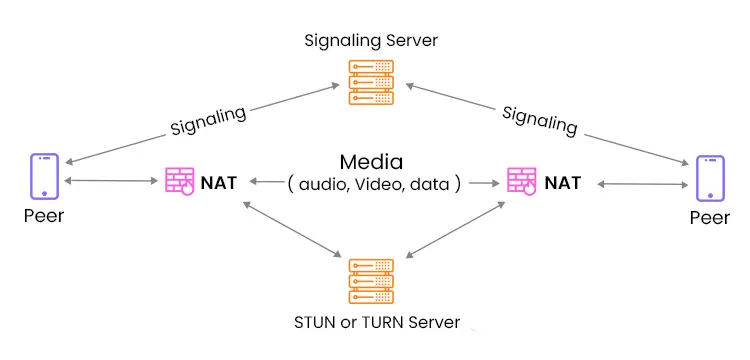
- Signaling: Users exchange information with each other like IP address, session descriptions, and more using a signaling server.
- Peer connection: Post establishing a connection, users can send audio, video, and messages without a server.
- Media capture: When a user sends in a video, WebRTC video call API captures the required video from webcams and encodes using a video codec. Similarly, the receiver decodes, and the process is called Media Rendering.
- NAT Traversal: In case of network issues, the WebRTC group video call APIs, use NAT mechanisms to overcome network lags.
So that was all.
Why WebRTC API for Video & Voice Call?
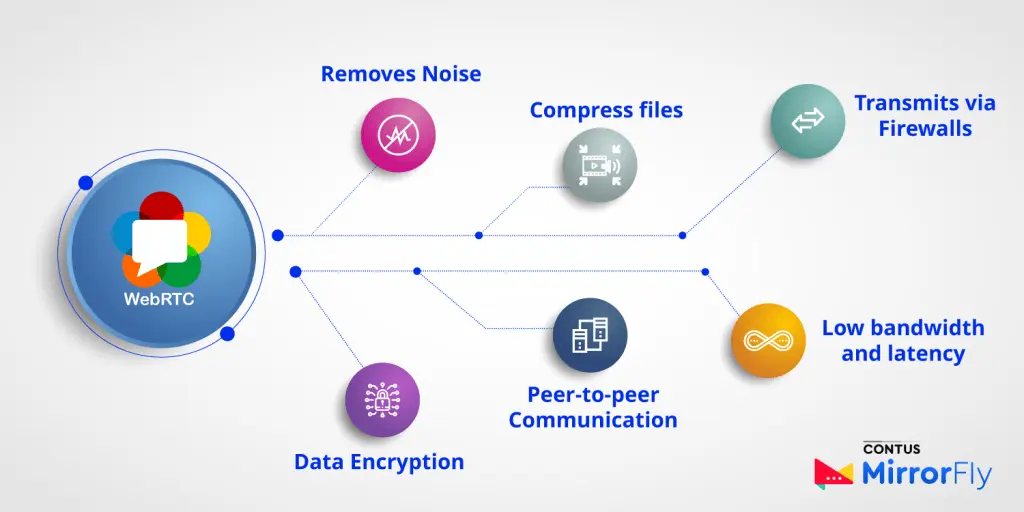
- Removes Noise: The ambient noise from an audio file can be removed by a WebRTC voice call; it is the same case for video calls too.
- Compress Files: WebRTC can compress and decompress the audio or video by treating it with codec.
- Transmits via Firewalls: WebRTC transmits to create interactive Connectivity Establishment (ICE) by routing from one peer to another via firewalls.
- Data Encryption: WebRTC aids the user to manage the bandwidth while securing the user data with end-to-end encryption before transmitting the connections.
- Peer-to-peer Communication: WebRTC is an open source project that constantly evolves and improves the peer-to-peer communication by simplifying it.
- Low bandwidth and Low latency: Embedded with audio-video communication, WebRTC helps the user to consume very less bandwidth and offers zero latency that is supported with all the major browsers and mobile devices.
Limitations in WebRTC and How To Overcome It?
1. Scalability
As the WebRTC API integration was not designed with the attention to scalability, it requires the user’s participating browser to connect with one another through a peer connection.
To solve this, the scalability can be increased with a real-time streaming server if the WebRTC is transcoded into HLS for unlimited distribution. As a result, it will lead the video conferencing API integration to large scale broadcasting.
2. Broadcast Quality
To enable the real-time delivery, WebRTC sacrifices the bidirectional frames from the GOP (Group of Picture) structure which results in a negative impact on the quality.
It can be resolved by reducing the number of connections between each client after all the participants connect to a common streaming server. It will thus lead to a streaming of larger scale and thereby optimizing the quality as well.
Recommended Reading
Top 5 WebRTC Video Call Service Providers [2026]
The 10 best webrtc video APIs and SDKs are MirrorFly, Apphitect, EnableX, ZEGOCLOUD, and Dyte.io based on features, cost, clients, scalability, tech, etc.
Now, if you are looking to build a video call platform with pre-built solutions, we’ve curated a hand-picked list of the best service providers in the market. Please take a look.
1. MirrorFly’s White-Label WebRTC Video Calling Solution
MirrorFly is a real-time communication solution provider that offers APIs and SDKs for building video, voice and chat apps using WebRTC protocol. With over 1000+ features, the platform lets you customize the features without any limitations, by giving full access to its source code.
Meanwhile, you can use any of your brand elements and white-label your app like it’s built in-house. Another key highlight is that only MirrorFly lets you customize the security features, without any limitations.
Features of MirrorFly WebRTC Video Calling:
- Real-Time Messaging
- Private and Group Chats
- Message History & Backup
- Basic Notifications
- Presence Indicators
- File and Media Sharing
Limitations of MirrorFly WebRTC Video Calling
- Agenda Creation: MirrorFly still does not offer the option to create an agenda before a meeting commences.
- Multi-camera Streaming: Streamers cannot use multiple camera inputs to broadcast their content.
Pricing Model of MirrorFly WebRTC Video Calling
MirrorFly offers a flexible pricing structure that includes both self-managed (SaaP) and cloud-hosted (SaaS) models.
- Starting Price: Typically starts around $399 per month.
Pricing Model
- One-time payment: You can purchase a license to use MirrorFly’s features for a lifetime. This is suitable for mid to large-scale enterprises.
- Monthly subscription: You can pay only for the features you use, for a monthly recurring subscription. This is suitable for small to mid-scale businesses.
2. ApphiTect: End-to-end Encrypted WebRTC Video Call SDKs
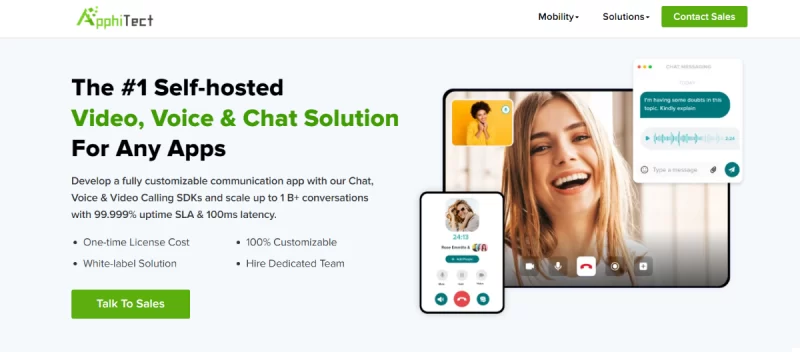
Apphitect is a customizable WebRTC video conferencing API that offers real-time communication features for web and mobile applications. The solution is super-flexible to use as you’ll have access to the source code along with the freedom to self-host your platform. This means, you can either host your app on your own servers, Colocation data center, hardware or any third-party server.
Features of ApphiTect WebRTC Video SDK
- Typing Indicators
- Read Receipts and Delivery Status
- Push Notifications
- Profanity Filters
- Chat Moderation Tools
- Chat Export
Limitations of ApphiTect WebRTC Video SDK
- No Advanced Video Effects and Filters: Apphitect might focus more on making sure the basic video call stuff works really well, instead of adding fancy effects or filters. They want to make sure the important parts of video calls are solid before worrying about extras.
- Limited Integration Capabilities: Apphitect restricts integration of a few third-party tools to maintain a secure space for conversations. This may limit user engagement for those who prefer these tools.
Pricing Model of ApphiTect WebRTC Video SDK
- To use Apphitect, you need to purchase its license for a one-time payment.
3. EnableX: The Most Reliable WebRTC Video Call API
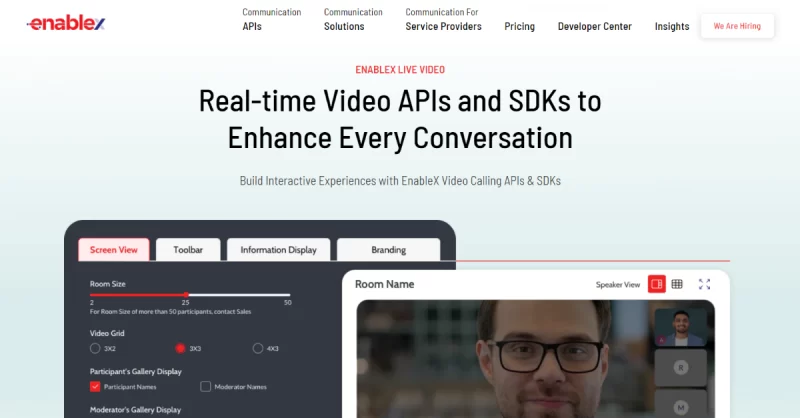
EnableX is well known for their WebRTC APIs that let developers add high-quality video calls and live streams to apps and websites.
Enablex stands apart from its competitors by offering the best quality video calls for user communication. They’ve put a lot of work into making sure their video calls look great and are designed to keep delays to a minimum, so a lot of engagement can happen on your platform.
Features of EnableX WebRTC Video Call API
- CDN Recording
- Real-time Polling and Data Streams
- Customizable Layouts with Branding
- Low-latency Telephony Integration
- Advanced Video Analytics
Limitations of EnableX WebRTC Video Call API
- Resource Intensive for High-Quality Video: Getting really good video isn’t easy. It needs a lot of computer power. This can cost more or make things run slower if your system isn’t very powerful.
- Reliance on Strong Network Infrastructure: EnableX’s focus on high-quality video heavily depends on a stable and high-speed internet connection. There are many situations where network issues directly impact call quality.
Pricing Model of EnableX WebRTC Video Call API
- For a room size of up to 50 participants, Enablex charges $0.004 per participant per minute.
4. ZEGOCLOUD: Flexible WebRTC Video Chat APIs & SDKs
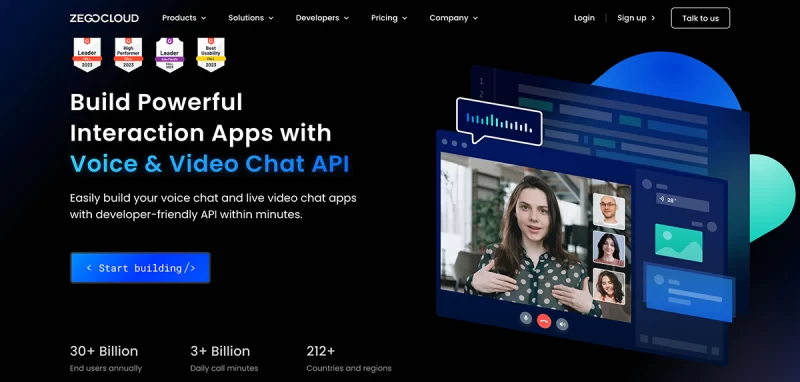
ZEGOCloud is a comprehensive platform offering a diverse range of real-time engagement tools that are built with WebRTC protocol. They offer services like video conferencing, live streaming, and various interactive features that are exclusively designed to enhance user engagement.
The platform focuses on equipping developers with the ability to create customized and unique user experiences. ZEGOCloud’s APIs are so flexible that makes it an attractive option for businesses looking to deliver high-quality video call experiences.
Features of ZEGOCLOUD WebRTC Video Chat APIs & SDKs
- Virtual Backgrounds with Real-time Segmentation
- Real-time Translation & Subtitles
- Customizable Waiting Rooms and Lobbies
- Multi-bitrate Streaming and Recording
- Interactive Whiteboard with Gamification Features
Limitations of ZEGOCLOUD WebRTC Video Chat APIs & SDKs
- Performance Impact with Excessive Customization: If you add too many fancy features to your video calls, it can slow down your app.
- Security Risks with Complex Integrations: Adding lots of extra tools to your video system can make it easier for hackers to get in. This means you need to be extra careful about keeping everything secure and protecting people’s information.
Pricing Model of ZEGOCLOUD WebRTC Video Chat APIs & SDKs
ZEGOCLOUD pricing is based on usage type and participant minutes. Charges are calculated per 1,000 participant minutes as follows:
- Audio calls: $0.99 per 1,000 participant minutes
- HD video calls: $3.99 per 1,000 participant minutes
- Full HD video calls: $8.99 per 1,000 participant minutes
- 2K video calls: $15.99 per 1,000 participant minutes
- 4K video calls: $35.99 per 1,000 participant minutes
5. Dyte.io: Highly Scalable WebRTC Video APIs & SDKs
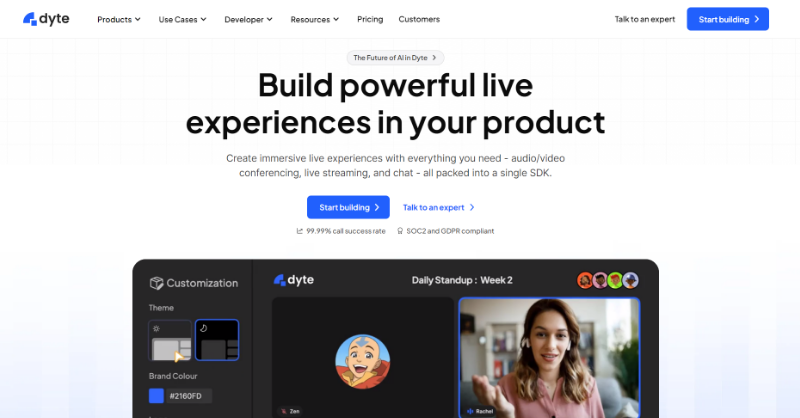
Dyte offers a cloud-based platform for real-time communication, with a strong focus on WebRTC technology. They offer a suite of tools that enable developers to integrate video conferencing, live streaming, and screen sharing capabilities into web and mobile apps.
In fact, one of Dyte’s key strengths is its user-friendly APIs. They can be easily integrated, even by developers who do not have years of experience in app development.
Features of Dyte WebRTC
- Spatial Audio
- AI-powered Noise Cancellation
- Breakout Rooms
- Simulcasting
- Interactive Whiteboard Integrations
Limitations of Dyte WebRTC
- Scalability Issues with Large-Scale Meetings: Dyte works well for most group calls, but it might struggle a bit with really big events. If you’re trying to host thousands of people at once, you might notice things slowing down or not running as smoothly.
- Potential Latency Issues in Certain Regions: Video calls might not always be perfect. Sometimes they can be a bit laggy, depending on where the user is and how good their internet is.
Pricing Model of Dyte WebRTC
Freemium Model:
- Free tier includes 12,500 participant minutes per month (refreshed monthly) and basic features.
- For additional minutes and features, you need to go for paid plans.
Paid Plans:
- Offers tiered pricing based on features, participant limits, and usage.
Build a Custom WebRTC Video Chat App with MirrorFly
MirrorFly is the best WebRTC video call API provider to build any kind of application like voice apps, video calling solutions & real-time chats.
Plus, its in-app communication SDKs are every developer’s favorite because of their quick integration capabilities, scalability, control, 1000+ customizable call & chat features, & twin communication model – SaaS & SaaP.
As we spoke of the two different models, let us see them in detail.
- SaaS – also known as the Pay-as-you-go model, allows developers to access features at a monthly subscription plan.
Its highlights include:
- Secure Messaging
- Unlimited calls
- Topic-based chats
- Plug-&-play UI kit
2. SaaP– also known as a self-hosted solution, allows developers to build highly customizable chat apps for a one-time license fee.
Its highlights include:
- 100% customizable
- White-labeling
- Complete Ownership
- On-prem/cloud hosting
- Hire WebRTC developers
Therefore, whichever solution you opt for, you can give a crystal-clear video calling experience to users with our SDKs built with WebRTC technology.
Ready to kick-start your business with us? Book a quick 30-minute demo with us.
Get Unlimited video calling, Fully customizable workflow, Hire a dedicated team & Upload Huge Files
Book a 30 Mins Free Demo Trusted By 500+ Brands
- On-Premise Hosting
- Full Data Ownership
 Trusted By 500+ Brands
Frequently Asked Questions (FAQ)
The WebRTC video call solution works by combining Javascript APIs, Media Stream APIs, and P2P communication protocols to establish audio and video connections between user devices over the internet.
The benefits of WebRTC video calling solution include:
- Quick and seamless integration
- Cost-effectiveness
- High scalability
- Advanced security
- Low latency
Yes, WebRTC is a collection of interrelated APIs and protocols that allows developers to enable real-time communication features like audio & video across web browsers. These APIs include functions for establishing connections between devices, streaming media and interacting with devices like webcams and microphones.
WebRTC calling refers to a feature with which users can make real-time audio and video calls over the internet. It allows peer-to-peer communication between browsers without the need for third-party plugins or software.
WebRTC Conferencing is a technology that connects multiple users across the same video or audio call. It facilitates group video conferencing and meetings in a web-based environment.
Yes, you can use a WebRTC chat to easily establish a peer-to-peer connection within your chat apps, without any plugins or downloads.
Further Reading
- Build A WebRTC Video Calling App With Janus Server
- How is encryption handled in WebRTC video calls?
- Difference between WebRTC and WebSockets for video calls
 Atchaya Jayabal is a passionate content writer specializing in SaaS, B2B and Technical Writing. She is best known for her adept expertise in curating tech content that resonates with readers.
A software developer is working on my application for e-commerce but he needs support on how to integrate a webrtc video chat. How much is your package and how can we add your video API to the application.
I’m building a video calling app with chat support. I’m exploring the existing technologies to integrate into my Tech stack. please guide me
Hi. I am starting my own video chat app using webrtc, and I have some doubts. My app is join ONLY 2 people for 1 or 2 hours and I want to record the session only 1 user: 1) I would like to know how much money is the cost for recording and video call ? 2) Do you have Video API?
We will want to build a real time audio and video chat application. Do you have any demo for webrtc video chat app using javascript
Our aim is we have to call to our customers from our webrtc video chat app using javascript and from number will show to destination mobile number. And From Number will change not fixed.