


The best team collaboration tools in 2026 includes MirrorFly, Apphitect, and Zoom. Explore the pros, cons, and pricing details in this read.
I’ve worked with 13 brands across multiple industries. Using a team chat app is a daily ritual for me, like most of you 🫵
In the last few years, I’ve used almost all of the popular tools for chatting, meeting and collaborating with my teams.
As an experiment, I anlayzed 12 best tools for team communication. I’ve condensed my research into this 10-min read. Hope this helps your team as well!
Let’s get started!
Top Team Communication Tools: TL;DR
Explore how these help teams communicate, share files, and manage workflows more effectively.
- MirrorFly Teams – Self-hosted CPaaS Offering Custom Team Collaboration Tools
- Apphitect – White-Label Real-Time Solution Offering Team Collaboration API & SDK
- AnyDB – End-to-End Business Operations in One Connected Platform
- TroopMessenger – Enterprise Instant Messaging & Team Collaboration Platform
- Zoom – Secure and Enterprise-grade Communication Platform
- Trello – Visual Project Management Platform
- Microsoft Teams – Collaboration and Enterprise Chat Platform
- Quip – Intuitive Team Collaboration Tool
- Monday.com – Inter-team Collaboration Tool
- Atlassian – Remote Team Collaboration Platform
- Zapier – Scalable Work Collaboration and Automation Tool
- Chanty – Online Collaboration Platform
Compare Top 12 Team Communication Tools In 2026
Here are the best self-hosted team communication tools I picked after extensive analysis: MirrorFly, Apphitect, Zoom, Trello, and Microsoft Teams.
| Provider | Pricing | Features | Best for |
| 1. MirrorFly Teams |
|
|
Scalable for small businesses to large agencies and enterprises |
| 2. Apphitect |
|
|
Businesses preferring flexible hosting |
| 3. AnyDB |
|
|
Operations teams managing work across departments, locations, or partners that need flexible, customizable workflows |
| 4. TroopMessenger |
|
|
Businesses wanting an affordable, secure team chat with on-premise/SaaS flexibility |
| 5. Zoom |
|
|
Professionals who need reliable video meetings |
| 6. Trello |
|
|
Task and project management |
| 7. Microsoft Teams |
|
|
Organizations and educational institutions for unified communication |
| 8. Quip |
|
|
Remote teams seeking a consolidated platform |
| 9. Monday |
|
|
Managing multiple projects with Kanban boards, Gantt charts, and calendars |
| 10. Atlassian |
|
|
Software development and project management |
| 11. Zapier |
|
|
Organizations that need to scale automation with enterprise-grade features |
| 12. Chanty |
|
|
Affordable alternative to larger platforms |
👇 What My Research Reveals On The Top 10 Best Team Collaboration Tools For 2026
1. MirrorFly Teams – Self-hosted CPaaS Offering Custom Team Collaboration Tools
Well-suited for: Developers and product teams building custom chat, voice, and video capabilities into their applications.
I’ve used Zoom, Trello, Microsoft Teams and Monday.com for chatting with my team.
However, I felt a bit unsafe working in these apps. I had to share confidential business information with my team and I was not sure if these apps would access my data.
With a few of these platforms being on the news several times for data breaches, I didn’t want to risk my business.
I decided to build my own standalone app with custom team communication software.
Am I a developer? Not at all! I’m a tech enthusiast and neither did I have a team to build it. I tried and tested almost every software I could with the limited coding expertise I had.
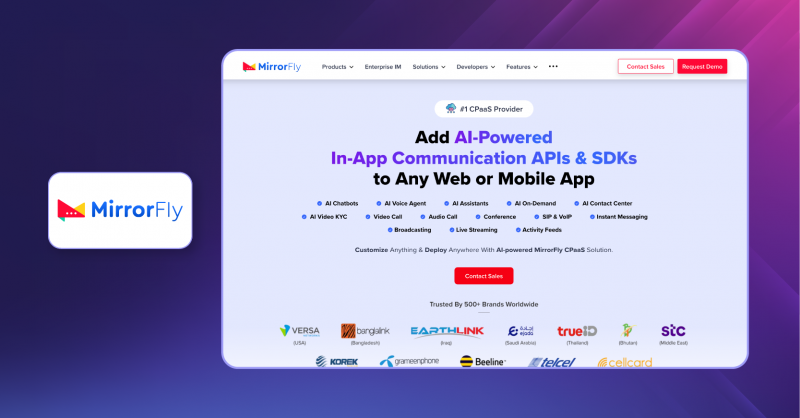
During this research, I came across MirrorFly Teams, a CPaaS solution for building real-time communication into applications. It offers an enterprise instant messaging solution along with other communication capabilities that can be customized for team collaboration.
It’s a package of real-time communication APIs, SDKs and documentation.
When I approached the team, we had a quick discussion and they provided my license key and dashboard credentials.
The package I got has 15+ SDKs, 8+ production-ready AI agents, and 1000+ in-app custom features.
I followed each step of their API docs and added video, voice, messaging, activity feeds, live streaming, and SIP/VoIP features to my MVP. I’m now developing this into a full-scale team messaging platform for my business.
For businesses looking to build their own Microsoft Teams alternative, MirrorFly Teams provides the underlying communication infrastructure and customizable components needed to create a branded team communication platform. Overall, Internal communication software like MirrorFly is worth considering if you want to build and control your own solution rather than rely entirely on a ready-made platform.
Standout Features Of MirrorFly Teams:
- Group Video Call
- Large File Sharing
- Remote Screen Share
- Live Video Streaming
- Chat AI Agent
- AI Voice Agent
- AI Moderation
- 100% Customizable Solution
- Complete Data Ownership
- Topic-Based Chat
- Full Source Code Access
- Advanced Security
- Analytics Dashboard
- Flexible Hosting Options
- White-Label Capabilities
| What I liked 👍 | What I disliked 👎 |
| ✨White-labeling – I can personalize this custom messaging solution with my brand logo and colour. It also gave me freedom to customize any in-app feature based on my needs. ✨ I was able to upload large files and offered custom security control from Face ID, Biometrics to Gmail Login. ✨Workflow customization – I loved that I could customize the workflow to include Kanban-style task tracking directly within the chat interface, ensuring no milestones were missed | ⚠️ “Auto-Sync Knowledge Base” and “Natural Language Prompts” features are currently in a beta version which I expect to roll out in near future. |
Technology
- Protocol: XMPP over TLS for real-time messaging and presence
- Backend: Ejabberd server (Erlang), Springboot, Apache
- SDKs: Android (Java/Kotlin), iOS (Swift), Flutter, React Native, Angular, React, VueJS
- Database: MySQL, SQLite, Mnesia
- Encryption: AES, SQLCipher, HMAC
- Calls: WebRTC for peer-to-peer audio/video
- Architecture: Microservices
- Media Storage: AWS S3
Pricing:
MirrorFly offers a flexible range of pricing plans to suit any business size.
- MirrorFly Cloud package starting at $0.08 per user per month (billed annually). The platform does not offer a free version of the package. But developers can avail a free demo.
- For those seeking maximum ROI, we provide an enterprise-grade one-time license cost that eliminates recurring monthly fees.
While the cloud package is affordable for startups, our enterprise plans offer a one-time lifetime license for complete data ownership.
2. Apphitect – White-Label Real-Time Solution Offering Team Collaboration API & SDK
Well-suited for: Looking to embed secure, scalable, and white-label communication features into their products.
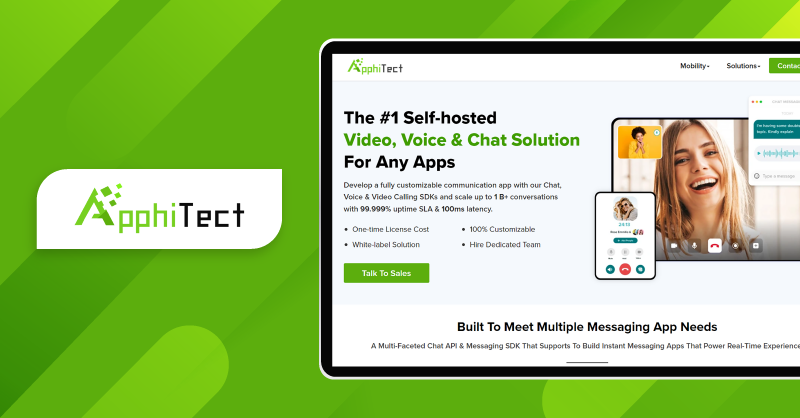
If you ask me about a secure instant messaging SDK that helps developers create a fully customizable team communication platform, I would say Apphitect.
I implemented my brand’s theme across the platform and Apphitect did not restrict me on this.
Also, the ready-made SDK supported LLM integration made it seamless to train the chatbot on my own data to perfectly match my brand’s tone.
At the same time, every conversation on Apphitect is protected by enterprise-grade security and backed by global compliance certifications.
This ensured safe and reliable communication for my users.
You can use its self-hosting option to deploy your team communication platform on your own server or on its cloud.
There are no limitations on that, also no restrictions on the employee communication tools and functionalities.
Standout Features of Apphitect:
- 100% Customizable Solution
- Complete Data Ownership
- Flexible Hosting Options (On-Premise / Cloud)
- White-Label Capabilities
- Full Source Code Access
- Advanced Security (Gmail, Face ID, Thumbprint, etc.)
- Multi-Tenant Architecture
- Scales to 1+ Billion Active Users
- Free Migration & Integration Support
- Compatible with 100+ Integrations
- Supports Large File Uploads
- AI-Powered Features
- Enterprise-Grade Architecture
- Topic-Based Chat Functionality
- Hire a Dedicated Developer Team
| What I liked👍 | What I disliked👎 |
| ✨ It offers a low-code chat API that lets you build a standalone team collaboration app and launch in 48 hours | ⚠️ The ‘sales lead qualification’ feature using the AI chatbot isn’t rolled out fully, currently in a beta version only |
Technology
- Protocol: XMPP for real-time messaging
- Backend: Ejabberd server (Erlang), Apache Cassandra
- SDKs: JavaScript, React, Kotlin, Swift, Flutter, Objective-C, Angular
- Encryption: AES-256, SSL, two-factor authentication
- Infrastructure: AWS cloud hosting
- Compliance: GDPR, HIPAA
Pricing:
- Enterprise plan includes single-purchase pricing
Note:
For the latest enterprise communication market statistics, trends, and industry insights, check our [Enterprise Communication Statistics Report]
3. AnyDB – End-to-End Business Operations in One Connected Platform
AnyDB is built for businesses where several teams need to work on the same order, project, or request. It connects the records involved, including purchasing, inventory, documents, and approvals, so people can check what’s happening and discuss the work in context.
Take a customer order that’s waiting for parts. Purchasing can update the supplier information, warehouse staff can record what has arrived, and the project team can check progress. Comments and files stay with the relevant records, making it easier to follow decisions and hand work over.
Each company can set up its own fields, workflows, views, and access permissions. AnyDB’s Business Object Library provides starting points such as Project, Purchase Order, and Inventory Item. These can be customized and connected as the business needs more from the system.
Key features
- Collaboration on records: Colleagues can discuss a request, attach documents, and review updates where the work is being tracked. Customers and suppliers can access selected information through guest portals.
- MCP integration: Compatible AI assistants, including Claude Desktop, can search AnyDB, create or update records, and upload or download files through conversational requests.
- Approvals and automation: Teams can define review steps and conditions for notifications or follow-up actions. A button on a record can also start a workflow.
- Reports and planning: Reports and charts bring figures into the records teams use. Calendar and timeline views help organize deadlines and work that spans several days.
- Documents and mobile tools: Generate quotes or invoices from record data. Staff working on-site can upload photos, update information, and scan barcodes or QR codes from the mobile app.
Technology and integrations
Alongside MCP, AnyDB supports APIs and webhooks, with connections to Make, Zapier, and Shopify.
Best for
Operations teams managing work across departments, locations, or external partners, especially when their processes need more customization than a fixed task list allows.
4. TroopMessenger – Enterprise Instant Messaging & Team Collaboration Platform
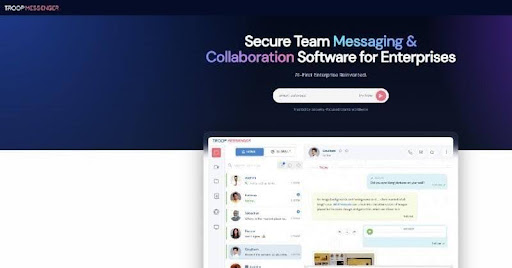
Well-suited for: Enterprises, government, and defence organizations needing a secure, feature-rich office chat app available as both SaaS and on-premise.
I wanted a business chat app that wouldn’t force me to choose between ease of use and data control, so I tried Troop Messenger.
What stood out immediately was how many service models this team communication tool offers. I could either subscribe to their SaaS plan and get started in minutes, or host it entirely on my own servers for full data ownership. There’s also a Chat API option if you want to embed messaging into your own app instead of using theirs directly.
Beyond the usual chat, audio/video calling, and file sharing basics, Troop Messenger has a set of features I hadn’t seen bundled together elsewhere, like a self-destructing “Burnout” chat window for sensitive conversations, and “Forkout,” which lets you fire off one message to multiple users and groups at once.
It’s also being used by some fairly serious organization the Indian Air Force, the European Space Agency, and the UK Ministry of Defence are listed among its customers, which says something about how seriously they take security and compliance.
Standout Features of Troop Messenger:
- Instant Messaging & Group Chat
- Audio & Video Calling (1:1 and group)
- Remote Screen Share
- End-to-End Encryption
- Burnout (self-destructible chat)
- Forkout (bulk send to users/groups)
- Orange Member (guest user access)
- Jointly Code (collaborative code editor)
- AI Buddy, Auto Suggestions, Smart Summaries, AI Translate
- LDAP/SSO Integration
- Multi-Factor Authentication
- Audit Logs
- Role-Based Access Controls
- SaaS and On-Premise Deployment
| What I liked 👍 | What I disliked 👎 |
| ✨ The flexibility of choosing SaaS, on-premise, or API-based deployment meant I wasn’t locked into one hosting model | ⚠️ With so many productivity features (Burnout, Forkout, Jointly Code, Airtime Groups, etc.), there’s a bit of a learning curve to discover everything |
| ✨ AI Buddy and Smart Summaries helped me catch up quickly on group chats I’d missed |
Technology
- Security: End-to-end encryption, LDAP/SSO integration, Multi-Factor Authentication
- Calls: Audio/video calling with remote screen share
- Compliance: Audit logs with Syslog export support
- Platforms: Web, Windows, Mac, Linux, Android, iOS
- Integrations: Zapier, Dropbox, Google Drive, LDAP, and more
Pricing:
Troop Messenger offers per-user monthly plans:
- Premium – $1/user/month (small teams)
- Enterprise – $2/user/month (SMEs and startups)
- Superior – $5/user/month (corporate and large enterprises)
- Free 7-day trial of the Enterprise edition available
5. Zoom – Secure and Enterprise-grade Communication Platform
Well-suited for: individuals or teams looking for easy adoption
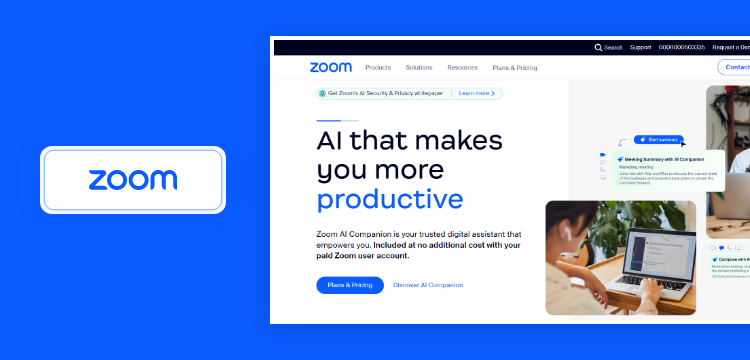
I use Zoom Workplace, and I feel that it’s an all-in-one work platform designed to elevate productivity for modern teams.
The tool is very easy to use and has intuitive interface, making it simple for users to launch meetings or have quick discussions.
Top features offered by Zoom Workplace include chat, meetings, productivity tools, and AI integration options.
When it comes to pricing, Zoom Workplace offers plans structured per user per month, depending on the features you need.
I explored their basic capabilities and communication channels first before moving toward more advanced paid tiers for extended meeting duration and business features.
It works well for teams that want scalable pricing as they grow.
Standout Features Of Zoom
- Zoom Whiteboard
- Mail & Calendar/Scheduler
- Agentic Capabilities
- Zoom Clips
- Zoom Team Chat
| What I liked👍 | What I disliked👎 |
| ✨ Zoom’s generative AI assistant “Zoom AI Companion” can be integrated into the workplace platform at no extra cost for paid customers. This summarized my meetings, helped in generating ideas and drafting messages. | ⚠️ For Zoom, the numerous subscriptions and add-ons can be difficult to manage and the HD video isn’t set standard |
Technology
- Calls: Proprietary media engine with WebAssembly (WASM); WebRTC for browser-based sessions
- Backend: Microservices architecture; Node.js, Python, Ruby server-side
- Infrastructure: Primarily AWS and Oracle Cloud, with globally distributed servers
- Frontend: React.js (web); Swift/Objective-C (iOS); Kotlin/Java (Android); Electron (desktop)
- Video/Audio: H.264 video codec, AAC audio codec, WebSocket for bidirectional communication
- AI: Machine learning powering virtual backgrounds, transcription, and Zoom AI Companion
Pricing/Plan:
- Free plan with 40 minutes per meeting
- Paid plan with 30 hours per meeting
- Enterprise plan for a larger team
6. Trello – Visual Project Management Platform
Well-suited for: managing small projects
In my opinion, Trello helped my team ideate, plan, manage, and collaborate effectively, also simplifying work processes in an intuitive way.
It’s one of the best tools for team communication and management. You can easily find information, saving hours for teams.
I actually tested the free version first to understand how it fits into our workflow. It was powerful enough for small projects, but as our needs expanded, I upgraded to their paid plans, which are priced per user per month. The transition felt natural because we were already comfortable with the system.
Their core features include ‘Boards, Lists, Cards, and Board Menu‘, and visual and automation features make the tool transparent for teammates to get work done.
Standout Features Of Trello
- Card descriptions add instructions
- Due dates for tracking deadlines
- Checklists to break down large tasks
- Templates to start new project
- Butler automates workflows
| What I liked👍 | What I disliked👎 |
| ✨ Trello’s built-in “Butler” automates tasks and keeps the board organized. ✨ Power-Ups plugins integrate with external apps such as Google Drive and Drop box enhancing workflow and info sharing | ⚠️ Absence of native features makes it challenging for organizations with complex projects |
Technology
- Language: JavaScript (Node.js on backend; CoffeeScript historically on client)
- Frontend: React (current); originally Backbone.js
- Database: MongoDB (document store – enables schema-free board/card data)
- Infrastructure: AWS (non-Micros platform); AES-256 encryption at rest
- Real-time: WebSocket-based push channel for live board updates
- Architecture: Part of Atlassian’s cloud platform; standard stack includes Java/Kotlin, Node.js, Python
Pricing:
- With limited features, I used the free plan
- Later, I used the paid business plan at $17.50 per user per month
7. Microsoft Teams – Collaboration and Enterprise Chat Platform
Well-suited for: teams prioritizing Microsoft 365 products integration
I used Microsoft Teams, to be frank, I was able to easily access, edit, and collaborate on documents without leaving the interface.
Before Oct 2023, while my colleague purchased Microsoft Teams, it didn’t have a plan excluding Microsoft 365/Office 365. It came with a bulk purchase only. But after that, it had an option for purchasing Microsoft Teams alone.
Features such as ‘Posts, files, notes, whiteboard, and planner’ helped me increase my work managing ability.I also had some concerns. I experienced occasional delays in response time while working in the tool.
Standout Features Of Microsoft Teams
- Video conferencing and calling
- Meeting recording
- Create polls within chats
- Real-time file sharing
- Multi-factor authentication
| What I liked👍 | What I disliked👎 |
| ✨ It integrated seamlessly with the Microsoft 365 apps and services, also scalable for large enterprises | ⚠️ Login error code or problems with signing in after updates or reinstallations |
Technology
- Backend: .NET 6 microservices (600+ services); Node.js for server-side runtime
- Infrastructure: Microsoft Azure – Service Fabric, Azure Kubernetes, Azure Cloud Services
- Calls: SlimCore proprietary media engine (standard); WebRTC for browser-based sessions
- Frontend: React + TypeScript (web); Swift (iOS); Kotlin (Android); Electron (desktop)
- Integrations: Full Microsoft 365 ecosystem – Outlook, SharePoint, OneDrive, Azure AD
- Auth: Azure Active Directory, MFA, role-based access control
Pricing:
- Essential package costs $1.3 per user/month
- Premium package costs $9.38 per user/month
8. Quip – Intuitive Team Collaboration Tool
Well-suited for: organizations using Salesforce
Quip got my eyes 11 months ago. It helped me combine documents, spreadsheets, and real-time chat. I was the admin, and Quip gave me the feature to search and find all documents in the workspace.
By this, I was able to preserve even the old version of edited or deleted data, which was helpful for legal purposes. Quip for Sales pulled in revenue, contacts and more other data. In the case of customer support, it resolved complex problems faced by my team by collaborating in real time.
Standout Features Of Quip
- Collaborative Docs Editing
- 1-on-1 & Team Chat Rooms
- Workflow Template
- Document Management
- Enterprise Governance
| What I liked👍 | What I disliked👎 |
| ✨ Quip deeply integrate with CRM data and specialized sales or service workflows | ⚠️ Lack of in-depth data analytics in their spreadsheets ⚠️ What I realised was, as my projects grew, Quip slowed down at times |
Technology
- Languages: JavaScript, C++, Python, Java, Objective-C (cross-platform full-stack)
- Frontend: React (current framework for UI components)
- Infrastructure: Salesforce cloud platform (acquired by Salesforce in 2016)
- API: Automation API (workflow bots), Live Apps API (custom embedded widgets), REST API
- Integration: Native bi-directional sync with Salesforce CRM data – Sales Cloud, Service Cloud
- Platforms: Web, iOS, Android, Desktop
Pricing:
- For small businesses its $10/user/month
- For large and complex teams its $25/user/month
- For real-time collab inside Salesforce its $100/user/month
9. Monday.com – Inter-team Collaboration Software
Well-suited for: managing projects & daily tasks
I tried Monday.com and it’s a cloud-based work management platform, enabled my team to plan, manage, and track projects from a centralized environment. It had a modern and intuitive user interface with flexible boards that organize projects easily. Monday.com offers ‘monday dev’ for product development and ‘monday service’ for customer support.
Standout Features Of Monday.com
- Customizable templates
- Track task timing
- Code-free automation
- Multiple project views
- Advanced dashboards
| What I liked👍 | What I disliked👎 |
| ✨ User interface simplifies navigation even for new users and visual design makes it easier to grasp overall operations | ⚠️One drawback is it has a complex and restrictive pricing structure |
Technology
- Backend: Ruby on Rails monolith + ~30 Node.js microservices
- Frontend: React.js, Redux
- Database: MySQL (primary); Redis (caching); Elasticsearch (search)
- Infrastructure: AWS, with Cloudflare for routing and WAF; Kubernetes for container orchestration; Terraform for IaC
- API Gateway: Ambassador (Envoy-based L7 gateway) with built-in auth and WAF filters
- Architecture: Multi-regional, TypeScript microservices managed via Terraform
Pricing:
- Free plan with 2 seats
- Paid plans from $9 to $19 per seat/month
10. Atlassian – On-Premises Remote Team Collaboration Platform
Well-suited for: companies prioritizing asynchronous communication
What I observed is the platform’s core products are Jira and Confluence. The tool’s AI helped to automate the bug reports and document generation. Earlier, my team struggled with information overload, scattered data, and team silos.
But later, after adapting this tool, it kept everything connected in one place. Jira breaks down large ideas into manageable steps and tracks work mainly by centralizing information.
Standout Features Of Atlassian
- Flexible Kanban board
- AI-powered meeting notes
- Atlassian analytics
- Virtual service agent
- Atlassian data lake
| What I liked👍 | What I disliked👎 |
| ✨ Committed to providing a scalable and AI-enhanced workflow for distributed organizations. | ⚠️ Jira suits merely for Agile software development workflows and for other cases it falls back. |
Technology
- Backend: Java/Kotlin (Spring Boot), Node.js, Python – three standard Atlassian cloud stacks
- Frontend: React, with REST and GraphQL APIs
- Infrastructure: AWS (Micros PaaS platform for Jira, Confluence, Bitbucket); AES-256 encryption at rest
- Architecture: Microservices on AWS, with distributed caching, data lakes, and centralized observability
- DevOps: Docker, Kubernetes, Jenkins, CI/CD pipelines
- Compliance: SOC 2, ISO 27001, GDPR
Pricing:
- Jira includes a free plan and a premium package ($18.30 per user/month)
- Confluence includes a free plan and a premium package ($12.30 per user/month)
11. Zapier – Scalable Work Collaboration and Automation Tool
Well-suited for: team looking for a platform that has no-code workflow automation
My team had repetitive tasks, and using Zapier, actually automated most of them and streamlined workflows. It maintains SOC 2 Type II and SOC 3 compliance and advertises 99.9% uptime for reliable service. The tool connects different apps and automates data entry, task hand-offs, and team collaboration, overall improved my team’s productivity.
Standout Features Of Zapier:
- Shared Zaps & Folders
- Advanced Admin Controls
- Domain Capture
- Employee Onboarding
- AI Agents (MCP Beta)
| What I liked👍 | What I disliked👎 |
| ✨ Extensively integrates across various teams in marketing, HR, sales and also in use cases of project management and lead nurturing. | ⚠️ No native two-way data syncing ⚠️ Absence of QuickBooks Desktop integration |
Technology
- Backend: Python (Django framework) – monolithic core with specialized offshoots
- Task queue: Celery (distributed workflow engine); RabbitMQ for task enqueueing; Kubernetes for worker scaling
- Database: MySQL (primary data store – users, Zaps); Redis (caching); PostgreSQL (secondary)
- Infrastructure: AWS – EC2, RDS, Lambda (serverless task isolation), VPC; Terraform for IaC
- Frontend: React.js + Redux; Next.js (BFF pattern with Apollo Server/GraphQL)
- Compliance: SOC 2 Type II, SOC 3; 99.9% uptime SLA
Pricing:
- For Teams its $69/month (billed annually)
- Custom pricing for enterprise
12. Chanty – Online Collaboration Platform
Well-suited for: small to medium-sized businesses
Honestly, this is one of the unified collaboration platforms that offers built-in task management and enabled our team to convert any message into a trackable task with assignments, deadlines also had a Kanban board view option. Chanty provides unlimited searchable message history on all plans, including the free tier, a major differentiator from many others tools we used.
Standout Features Of Chanty:
- Instant Messaging
- Announcement Channels
- Cross-Platform Access
- Unlimited Team Members
| What I liked👍 | What I disliked👎 |
| ✨ It has an intuitive interface, ensuring a minimal learning curve and effortless team onboarding. | ⚠️ Limited selection of third-party integrations |
Technology
- Platforms: Web, iOS, Android, Windows, macOS
- Calls: WebRTC-based audio and video calling (up to 1,000 video participants)
- Features: Offline message access, IP Allowlist, role and permission management
- Integrations: REST API for third-party app connectivity
- Security: Encrypted communication, advanced role-based access controls
Pricing:
- Business plan costs $3 per user/month
- Enterprise plan costs custom quote
How to choose collaboration tools?
First, I brainstormed to be clear about my goal of picking the right Internal collaboration tool for my team.
Who will use the app, client? internal teams? Stakeholders?
And for what purpose it will be built for, to collaborate teams? or share secure info?
I ensured the team communication tools I picked provides the following features mentioned below.
What Features I Looked Into
I felt it would be nice to have these features in a team messaging tool:
- 1 to 1 & Team Messaging: For enabling real-time private conversations and group discussions, and supports rich text, emojis to keep communication engaging in my chat app
- Video-Audio Call Recording: Record meetings for later review or training, and useful for onboarding and documentation.
- Public and Private Channels: Support public channels where announcements and news can be shared or collaborated with community, private channels to share confidential information for specific people.
- Channel Moderation: Get rid of harmful or spam content with the moderation tools ensuring smooth distraction-free collaboration.
- Custom Backgrounds: For video calls to have a personalized background, and I can improve professionalism and prevent the hidden messy surroundings.
- Upload Large Files: I can share documents, media, or assets without size restrictions to support quick collaboration during reporting or presentation.
- Video Conferencing: HD-quality audio and video for conducting team meetings that support screen sharing.
- Invite Guests: To collaborate with external clients or vendors allowing them to control access, without exposing confidential info.
- Calendar Integration: The solution should sync meetings with Google Calendar so my scheduled calls can be automated.
- Whiteboard Collaboration: To allow for planning and designing real-time ideas using the whiteboard during an ongoing workshop or remote meetings.
- AI Chatbot Agent: Automating FAQs or routine tasks and virtual assistant inside my collaboration platform shall manage whole workflow.
- Built-in Task Management: Lets teams assign responsibilities, set deadlines, and monitor progress without needing separate project tools.
- Kanban Boards: Provides visual workflow tracking to easily see tasks in progress, completed items, and bottlenecks.
- Gantt Charts: Displays project timelines, dependencies, and milestones for structured long-term planning.
- Workflow Automation: Reduces repetitive manual work by automating approvals, notifications, and milestone tracking.
- Ticketing Integration: Connects support requests directly into the team chat platform, allowing customer support teams to manage and resolve issues efficiently.
- Shared Inboxes: Enables agencies or support teams to manage common email addresses (like support@ or sales@) collaboratively without confusion or overlap.
Which Qualities I Wanted My Tool To Have (Uncompromisingly)
- ⚡ One-way latency <150 ms
- ⏱️ Response time 100 ms
- 🖥️ HQ visuals & intuitive interfaces
- 🔗 Integration with existing systems
- 🔄 Adaptable to hybrid methodology
- 🎚️ Role-based access control
- 📱💻 Cross-device/platform compatibility
- 📜 Adheres to GDPR, HIPAA standards
- 🔐 TLS, SSL, AES-256-bit encryption
My Recommendation
Among the list of the best team chat tools, my straight-forward suggestion is MirrorFly.
I had the flexibility to customize the team collaboration software to personalize the features as per my business needs.
The solution gave me all the control over my messaging app’s infrastructure, alongside full access to the APIs source code.
Above this, you can also use their self-hosting option to deploy your platform on your own server or on their cloud.
And, if you’re thinking about MirrorFly now, don’t wait. Fill the form, and one of the MirrorFly experts will reach you.
FAQ
The best team chat tool depends on the business’s specific needs. Slack is best for flexibility, Microsoft Teams is best for enterprises using Microsoft 365, Google Chat is best suited for Workspace users, MirrorFly is best for building a custom team chat app, and Discord is ideal for casual voice chat.
Team collaboration tools should include features like real-time messaging, video conferencing, unlimited file sharing, third-party integration (e.g., calendar sync, CRM tools), channel moderation, support AI agents, and provide flexible hosting models.
In 2026, the most popular workplace collaboration tools are Microsoft Teams, Slack, MirrorFly, Apphitect, Google Workspace, and Zoom chosen for their real-time communication, video conferencing, and deep integration capability.
Team collaboration tools offer security features such as AES encryption and multi-factor authentication (MFA). Additionally, AI moderation and profanity filters use machine learning to detect and remove inappropriate content in real-time.
Team collaboration tools improve productivity by unifying all communication features into one platform for remote, in-office, and hybrid working employees.
Unlike emails, the real-time updates allow fast decision-making in teams. The AI features of summarizing meetings, speech transcription, and automated task execution enhance efficiency.
Collaboration tools enable real-time communication, file sharing, and streamlines the team interaction process for all businesses. Whereas project management tools focus on planning, scheduling, tracking tasks, and organizing resources to improve workflows.
Yes, team collaboration tools are best suited for remote employees for real-time communication, such as video meetings, one-on-one chat, voice calling, and more.
To choose the right collaboration tool, examine if it allows customizing the workflow based on your team’s needs, supports white-labelling, integrates with existing apps, ensures security, and offers on-premise & cloud hosting options.
Ready To Build Secure Team Collaboration Software?
Get our enterprise-grade communication solution, that can be set up on your company servers.
Request Demo 100% customizable
-
White-label solution
-
Full source code
 100% customizable
Related Blogs
- Best Secure Messaging & Private Chat Apps
- Top 5 Video Communication Trends in 2026
- 10 Best Self Hosted Video Conferencing Platforms
- How to Build VoIP SIP Client?
 Atchaya Jayabal leads Content at MirrorFly and is an expert in writing Tech, SaaS & B2B. She regularly publishes articles on CPaaS & Conversational AI in blogs.