


Video Call API is a software for building video calling features into web and mobile apps. Here’s my guide with the latest features, what it does and when to use it.
Video Call API Features: TL;DR
| Features | What It Is |
| HD Video & Audio | Studio-quality, lossless video & audio calls |
| Screen & Content Sharing | Broadcast entire window or specific screen |
| Real-time Collaboration Tools | Integrated features and software |
| AI-powered Meeting Features | Automates video and audio tasks |
| Meeting Management & Controls | Plan, organize & control virtual discussions |
What Is Video Call API? (Simple Explanation)
A video call API (Application Programming Interface) is a software that enables video meeting features into web and mobile apps. You need to add this code snippet to your app’s codebase to enable the video call features.
Instead of writing codes from scratch, developers use video call API to plugin video chat, screen sharing, whiteboard, and recording directly into apps.
How does it work?
- When a video call starts, the API connects the participants through a WebRTC handshake.
- During this process, it negotiates codecs, exchanges the network addresses, and establishes a peer-to-peer or server-relayed connection.
- After this handshake, it compresses the audio and video, and continuously sends out the streams to the participants.
5 Best Video Call API Features In 2026
Video Call API works like a one-stop tool for all video meeting features. It comprises multiple capabilities that make a fully functional video chat app.
1. HD Video & Audio Communication
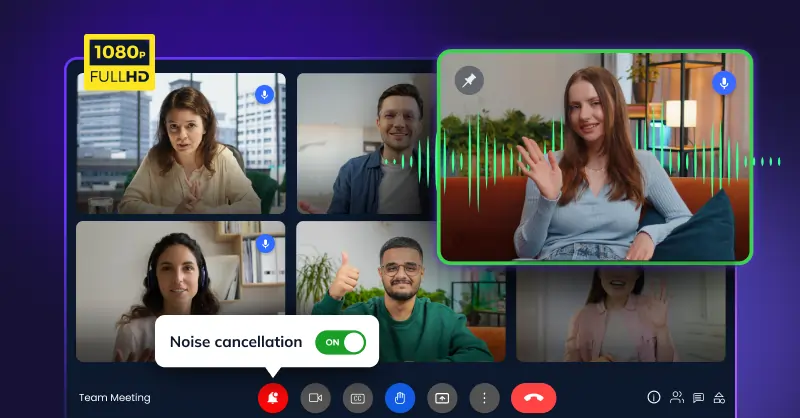
On the video-side, you will need:
- These days, the minimum requirement for a video call app is support for Full HD (1080p). In fact HD (720p) is not sufficient.
- You can notice the difference in large monitors and during screen shares.
- On the other hand, business meetings these days require multi-web cams to cover multiple camera angles across a conference room.
On the audio-side, you will need:
- Noise cancellation that removes the background noise especially when multiple participants are involved.
- Echo cancellation to make sure that you do not hear your voice back when you talk.
- Speaker spotlighting which pins the active speaker to the main view.
As a fallback, when the internet is not reliable, platforms can also add VoIP calling to dial-in via phone.
2. Screen & Content Sharing
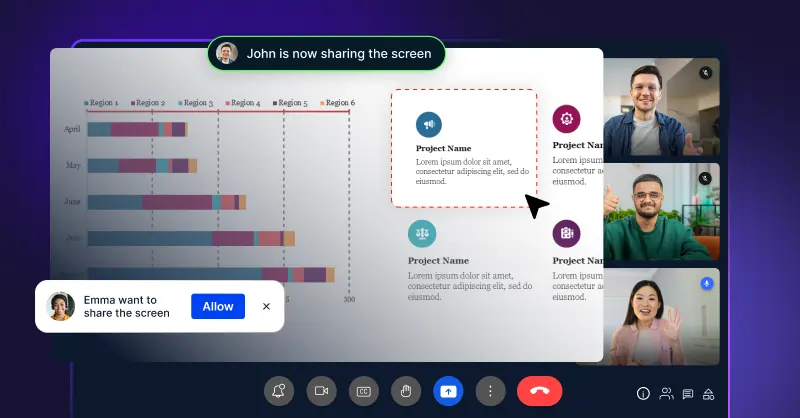
Most video conferences happen with screen-sharing. People share full screens or a single window. But these are just the basics. You will further need:
- Presenter controls lets the host manage who can share their screen and when.
- File and document sharing that lets you share files within the meeting itself without having to wait for ending the call to share files.
- Annotation tools let you highlight or draw on the shared screen.
When you consider adding screen sharing features with your video call API, one important factor to consider is the frame rate. If the frame rate is 5-10 fps (Frames Per Second), the video playback will look terrible. Only if the frame rate is at least 30 fps, the playback will be decent.
3. Real-time Collaboration
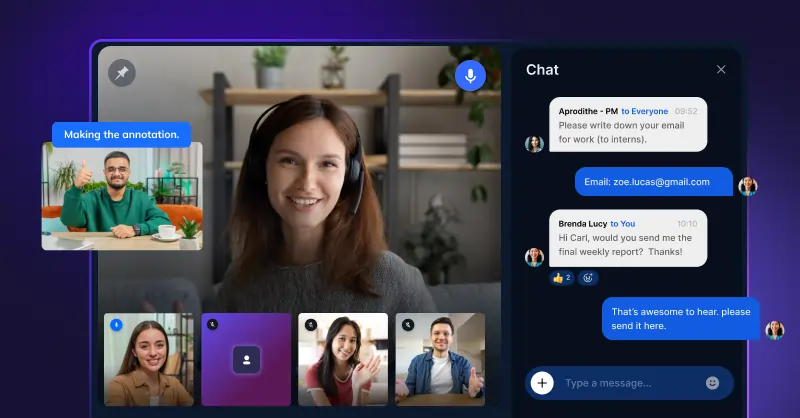
Collaboration is a unique aspect of video calls. Unlike a presentation, where one person talks and others just watch, people who collaborate actively speak to each other.
- Interactive whiteboard is a feature where everyone in the meeting can draw, add sticky notes, and build diagrams in real-time.
- Instant messaging and in-meeting chat is a place where people in the meeting can chat with each other within the meeting or outside without interrupting the speaker.
- Remote control is an option where one participant can take control of another participant’s screen for collaborative editing or presentation.
- Note sharing is another important meeting feature that a video call API offers. It is the ability to co-work on the same note, so instead of one person taking all the notes, multiple people can add references around the same point.
4. AI-powered Meeting Features
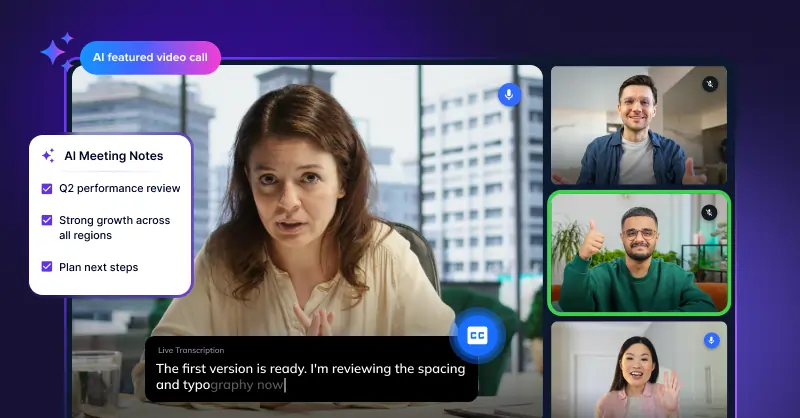
Video conferencing is advancing faster with AI. Especially in a room full of participants with remote participants, AI cameras and speaker tracking automatically detects, pans and zooms the participant who is talking in the room. This reduces a lot of manual efforts around video meetings.
Most AI features lean towards documentation:
- Meeting transcription is an AI video meeting feature that converts spoken text into searchable text.
- AI meeting notes go beyond transcription. It converts voice into text, identifies action items, and decision points, and prepares a clean summary automatically.
- Live captions display the transcript, popularly known as subtitles of the spoken words in real-time.
- Real-time translation processes multiple languages, converts them into intended language in real-time.
There are several AI transcription platforms you can connect with. However it is important to note that not every platform meets the accuracy requirements and standards.
📙 Further Reading: Not sure which platform to use? Check our ranked list of video meeting solutions built for on-prem and cloud setups.
5. Meeting Management & Controls
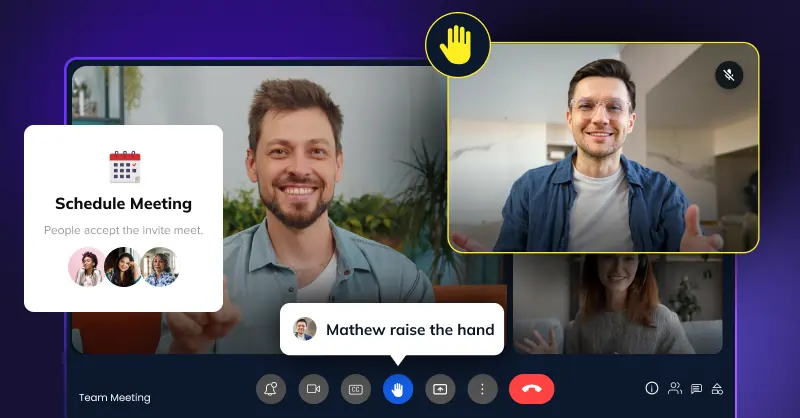
A meeting requires several logistics to keep everything organized. If you are looking to add a video call API, check out for these features:
- Meeting Scheduling lets you set meetings in your calendar instantly without having to copy-paste links manually.
- Waiting rooms give participants a space to wait until the host starts the meeting. This is specifically useful when there are back-to-back meetings.
- Raise hand is a feature where participants can send out a nudge to speak or add points, when the host is speaking, without disturbing them.
- Role-based permissions give each host, co-hosts, attendees and presenters different capabilities. This is one of the important features when meetings happen on a large-scale.
- Meeting room scheduling is a capability that can book a physical conference room with video systems for virtual meetings.
Want Add Video Call API Features To Your Platform?
Every business requires a specific set of video call features. Most video call APIs come with thousands of meeting capabilities. The key is to find what exactly you need out of it.
Look for customization, data control, security and flexibility of deployment. If you need all of them, try out MirrorFly. Need more details? Contact the team.
Build custom video communication experiences with low-latency APIs, flexible SDKs, and enterprise-grade infrastructure designed to scale.
Contact Sales Self-Hosted & Cloud
-
White-Label Solution
-
Enterprise Compliance
 Self-Hosted & Cloud
 A technical content marketer specializing in Real-time Communication Solutions, adept at making complex concepts easy to understand.