


I tested many popular live streaming solutions for several weeks to build my own custom video platform. Based on the results, I shortlisted 5 solutions that performed better than the others. This guide explains what each solution does best and helps you choose the right one for your workflow in 2026.
10 Best On-Prem Live Streaming Solutions: TL;DR
Each of these solutions helps build live streaming apps in different ways. Some focus on easy broadcasting, while others are built for professional streaming or audience interaction. A few of them are already pre-built streaming platforms. Here’s a quick overview of the best live streaming solutions you can use.
- MirrorFly: Best for customizable, white-label broadcasting
- Wowza Streaming Engine: Best for secure live streaming
- Apphitect: Best for self-hosted streaming
- Ant Media Server: Best for delay-free streaming
- Red5 Pro: Best for low-latency streaming
- Callaba Cloud: Best for professional broadcast streaming
- Kaltura: Best for large-scale, corporate streaming
- LiveWebinar: Best for browser-based, interactive streaming
- StreamVoodoo: Best for high-quality broadcast streaming
- phpFox: Best for building owned, online streaming
Next, let’s explore each solution in detail.
1. MirrorFly
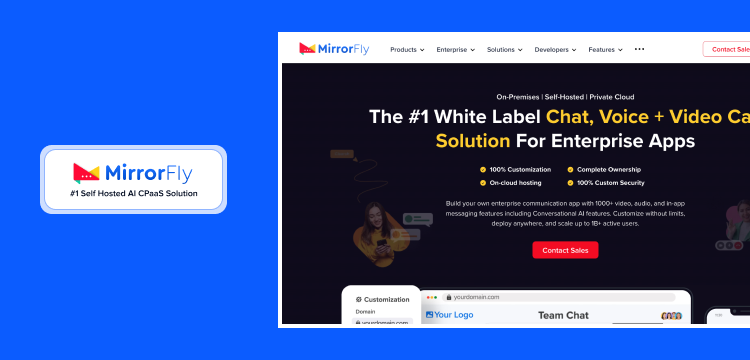
Best For: Building Self-hosted Live Streaming Solution
MirrorFly is a secure Communication-Platform-as-a-Service (CPaaS) that provides custom APIs and SDKs to embed live streaming, voice, and video calling into any web or mobile app. This white-label solution is built on WebRTC, supporting ultra-low latency below 100ms, with an average response time below 100ms.
Pros
- Complete data ownership and self-hosted flexibility with full source code access and zero dependency on third-party servers.
- 100% white-label with deep customization of UI, branding, features, and workflows to match your business.
- Get default AES 256-bit end-to-end encryption, JWT authentication, HIPAA, GDPR and OWASP compliance for handling sensitive communications.
Cons
- Requires technical experts’ help to set up and maintain.
- Custom pricing model based on your requirements.
2. Wowza Streaming Engine
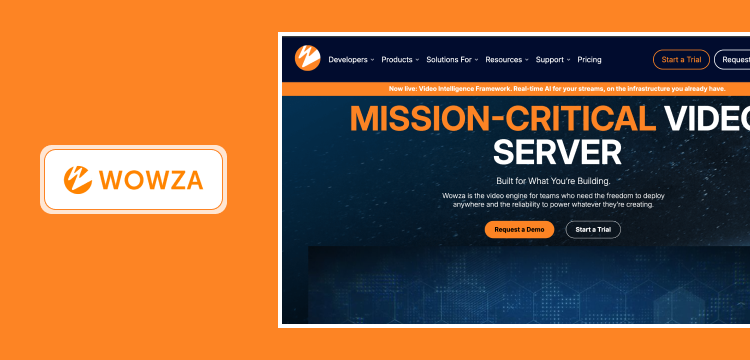
Best for: Large-scale secure live streaming and broadcasting
Wowza Streaming Engine is a unified media server software that accepts feeds from any source, including IP cameras, encoders, and even software like OBS Studio. This live streaming solution supports multiple streaming protocols, backed by WebRTC, SRT, and HLS/DASH.
Pros
- Provides flexible deployment to choose between a fully managed cloud service or a self-hosted one for complete data control.
- It supports a wide variety of streaming formats such as HLS, WebRTC, RTMP, DASH, RTSP and SRT straight from the box.
- Provides a highly stable performance and smooth video playback from small to large-scale events without any hassle.
Cons
- Pricing can be expensive as you grow.
- Requires a higher learning curve for configuring and maintaining.
3. Apphitect
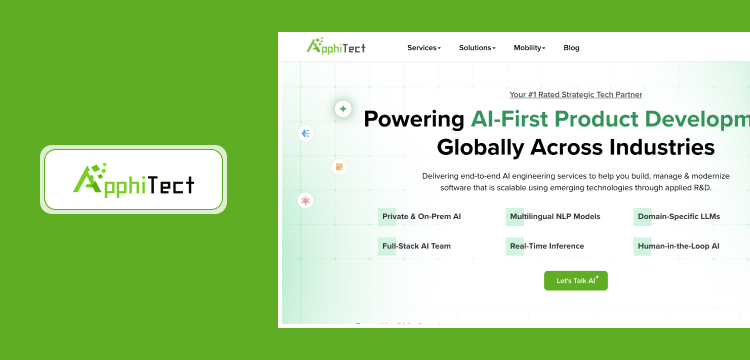
Best for: White-label live streaming for enterprises
Apphitect is a real-time communication SDK/ API provider that supports white-label live streaming for web and mobile apps, besides its chat, video, and voice call features. On the whole, developers choose this solution for its flexibility of hosting – on-premise/ on-cloud, along with options to white-label the solution with the company’s brand elements.
Pros
- Designed for businesses to launch a fully customized live streaming product that matches your brand.
- 99.9% uptime across all cloud deployments and can handle over 1 billion users simultaneously.
- Supports end-to-end encryption and compliance-ready frameworks, making it easy to build streaming products.
Cons
- Complex initial setup requires technical expertise.
- Not ideal for teams looking for an out-of-the-box solution.
4. Ant Media Server
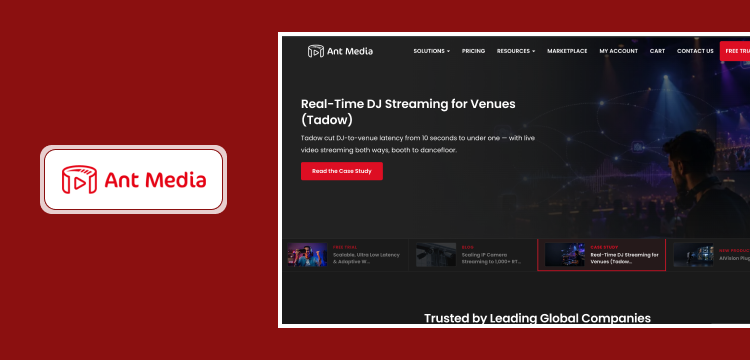
Best for: Ultra-low latency streaming and broadcasting
If you need your live streams to reach your audience in less than half a second, Ant Media Server is one of the finest choices you can pick. It supports various protocols including RTMP, SRT, RTSP and WebRTC. It also comes with a built-in simulcasting capability to push the live streams to third-party platforms like YouTube or Twitch.
Pros
- The ultra-low latency makes it a perfect choice for building interactive video apps.
- Supports a wide variety of streaming formats like WebRTC, RTMP, RTSP, SRT, HLS and DASH.
- Offers comprehensive APIs, documentation, and Mobile/Web SDKs to make custom integrations easy.
Cons
- Key enterprise features are locked behind paid plans.
- The interface is not user-friendly when compared to others.
5. Red5 Pro
Best for: Delivering sub-500 millisecond (real-time) latency
Red5 Pro is an enterprise-grade live streaming solution that supports large-scale streaming for virtual events and remote collaboration. Most businesses choose this solution for delivering video streams with latency under 250 milliseconds. As an on-prem solution, it supports automatic scaling and global distribution effortlessly.
Pros
- Delivers sub-250ms latency globally even during events with millions of simultaneous viewers.
- Provides broad protocol support like WebRTC, RTMP, RTSP, HLS, SRT, MPEG-TS and Zixi in a single platform.
- Get cross-platform SDKs for fast integration across iOS, Android, Windows, macOS, Linux, Unity and Unreal Engine.
Cons
- Developer-focused solution not ideal for non-technical teams.
- Red5 Pro software licenses can be expensive compared to others.
6. Callaba Cloud
Best for: Streaming for professional or corporate events
Callaba Cloud is a live streaming platform that enables production teams and content creators to receive, record, route, and deliver live streams from a single control panel. It supports both cloud and on-premise deployments. This allows organizations to run the live streaming, routing, and broadcasting suite on their own Linux servers when required.
Pros
- Get live ingest, multi-platform streaming, transcoding, recording, and more in a single platform without third-party plugins.
- Its SRT and WebRTC protocols provide reliable streaming even during unstable networks.
- Built-in dashboard to monitor active streams, manage connections and diagnose issues.
Cons
- Limited scalability, not ideal for large streaming setups.
- Requires expert help to configure complex routing, NDI outputs, and API integrations.
7. Kaltura
Best for: Professional streaming at massive scale
Kaltura is a self-hosted video management and experience platform. It uses global CDNs and edge caching to handle sudden spikes in viewership with no limits on audience size. The platform supports RTMPS encryption and allows organizations to manage media ingestion, transcoding, and secure live streaming on their own servers or private cloud infrastructure.
Pros
- Supports on-demand video, interactive video quizzes, video analytics, and content monetization from a single place.
- It can easily be integrated with Moodle, Canvas, Blackboard, Sakai, Salesforce, and Microsoft Teams.
- Can handle large-scale events with 200,000+ attendees simultaneously.
Cons
- Setup and integration are complex; it requires IT or developer assistance.
- UI is outdated compared to other solutions on this list.
8. LiveWebinar
Best for: Interactive streaming on browsers
LiveWebinar is a platform that allows businesses to host virtual events and online meetings with on-premises deployment. It supports RTMP streaming from external production software such as OBS and vMix into the live streaming environment. The platform offers custom branding, social media broadcasting, and analytics to improve the experience.
Pros
- Participants can join directly from web browsers without any downloads or installations required.
- Built-in engagement and interactivity tools like polls, surveys, whiteboards, CTA buttons, and screen sharing.
- Let businesses customize events with their own logos, colors, and domains.
Cons
- Not a true on-premise deployment platform like others.
- Its cluttered interface can be complex for new users.
9. StreamVoodoo
Best for: Quality and performance of live streams
StreamVoodoo is a low-latency live video and audio streaming platform. It enables content creators and professionals to broadcast 4K resolution video and studio-quality audio. Enterprises can share streams with small teams and large corporate events. The platform provides a macOS app for hosts, while participants can join sessions directly through a web browser.
Note: The official website appears to be offline in 2026.
Pros
- Offers pay-per-view, subscription, and pricing plan models to monetize live streaming.
- Allows businesses to create a fully branded streaming experience for their audience.
- Handles adaptive bitrate streaming for smooth playback for viewers with varying connection speeds.
Cons
- Integration and configuration take more time.
- Not ideal for large-scale enterprise use.
10. phpFox
Best for: Online streaming for remote teams
phpFox is a social networking platform designed to help businesses build and manage self-hosted online communities. With mobile app access, it supports broadcasting, real-time viewer engagement, and an automated video-on-demand archive. The platform allows users to go live directly via their web browsers or through a dedicated broadcasting software.
Pros
- A social network platform with built-in live streaming for building community-driven platforms.
- Provides complete source code ownership for development teams to customize the platform.
- Offers one-time lifetime license fees rather than monthly charges.
Cons
- Not a dedicated live streaming solution like others.
- Steep learning curve for customizations.
Next, let’s explore each app in detail.
Why You Need A Live Streaming App?
Live streaming and broadcasting are no longer a big deal for users to set up and go live.
There are many live streaming apps available on both desktop and mobile platforms. Hitting live in 2026 can be done within four simple steps. Picking the desired content, choosing the streaming app, integrating existing accounts into the app, Boom!
You’re on live. As the process of integrating live becomes easy like in-app chat API to any existing app or platform, here comes the next.
Everything will go well unless you search for the “best live streaming apps.” You’ll be flooded with results. But which app suits your content and which will make your live “alive?”
This article presented you with the best live streaming and broadcasting platforms of 2026 with our detailed analysis and research to bring your content live.
What is a Live Streaming App & How It Works?
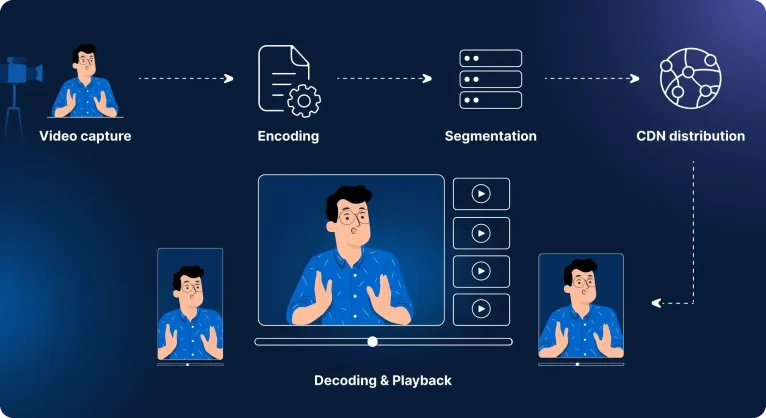
Live streaming technology is the same as watching pre-recorded videos but in real time, like video streaming over the internet.
Live content holds viewers’ attention as much as 20 times longer than pre-recorded or on-demand content. This helps businesses gain consumers’ attention, and for creators, it helps them reach all their viewers with a solid connection.
A live streaming app allows users to broadcast live content in real-time. The streamer can interact with viewers through live chat, comments and reactions.
Major social media live streaming apps are YouTube, Facebook, Instagram and LinkedIn. Well known for its user base and specific use case.
On the other hand there are many third-party live broadcasting platforms such as Bigo Live, Streamlabs, Vimeo, Switcher Studio and more.
How to Choose the Best Live Streaming Solution?
In 2026, choosing the best streaming app is more important than picking the desired features. These essentials will give the basic understanding of all the things to consider when choosing.
- Platform Compatibility: Consider which platform you intend to use; whether you’re streaming live on multiple platforms or choosing an app that supports various platforms.
- Streaming Features: Look for the features that meet your needs, such as screen sharing and interactive features like polls, Q/A, in-app chat, reactions, and notifications. The most important feature is Monetization; look for apps that offer multiple monetization options such as ads, subscriptions, donations, or gifts.
- Customization: For the best monetization experience, lead generation, or audience targeting, providing the best livestream experience is crucial. Incorporating custom branding and other visual elements for example your brand logo design to helps support a better experience.Choose an app that supports customization.
- Cost & Pricing: Evaluate the app or platform’s cost. Considering the self-hosted live streaming solution has a one-time cost with lifetime source code access.
My Recommendation
After testing the on-premise live streaming solutions, Here’s what I found:
- MirrorFly and Apphitect are suitable for B2B, SaaS, and large enterprises that want complete control over their live streaming infrastructure. Both self-hosted solutions support white labelling and full customization.
- Wowza Streaming Engine, Ant Media Server, and Red5 Pro are ideal for secure video streaming purposes.
However, if I had to pick one solution for building a live streaming platform, MirrorFly is my top choice. If you want to explore more about MirrorFly, you can request a demo and contact their experts.
Frequently Asked Questions:
The best live streaming apps are YouTube Live, Facebook Live, Instagram Live, and LinkedIn Live. The best third-party live streaming apps are Bingo Live, Streamlabs, Vimeo, and Switcher Studio.
YouTube Live and Instagram Live are the most popular live-streaming sites for their interactive features and free subscription plans for seamless live streaming.
Developing a live streaming platform will cost around $40,000 to $80,000, with a time duration of 3 to 8 months. For high-budget and huge time frames, many streamers look for live streaming APIs and SDKs to accommodate quick and affordable launches.
YouTube Live is one of the best and most free live streaming platforms as it has wide exposure on the market and a huge user base. With the easy live streaming set up, you can go live to your desired audience.
Building a live streaming app can be done in two methods: Developing from scratch, which requires dedicated resources and pre-defined programming languages. Another method is using live streaming APIs to enable streaming features into existing websites or applications.
Deliver stunning streaming experience with 1000+ interactive real-time video, voice, & chat features.
Request Demo 100% Customizable
-
Full Source Code
-
Flexible Hosting
 100% Customizable

Related Articles
- How To Build A Live Video Streaming Web Application?
- What are the top live streaming benefits for business?
- What are the best practices for engaging with stream viewers?
- Is Flutter the right choice for a live stream app?
- How to make an app like TikTok from scratch?
 Atchaya Jayabal leads Content at MirrorFly and is an expert in writing Tech, SaaS & B2B. She regularly publishes articles on CPaaS & Conversational AI in blogs.